- Voice Recording In-Browser
- Image & Screenshot OCR
- EPUB & Ebook Import
- PDF & Document Import
- Web Article Clipper
- YouTube Channel Subscriptions
- Blog & Podcast RSS Auto-Import
- HTTP Ingest API & Webhooks
- Knowledge Decay Tracking
- AI Semantic Search
- 100% Private
- AES-256 Encryption
- GDPR-Aligned
- Videos Deleted Instantly
- No Third-Party Data Sharing
- SOC 2 Practices
Built for anyone who learns from video — join early users turning hours of watching into searchable knowledge.
The Problem
You've watched it. You just can't find it.
You remember the insight — the pricing tip, the exact definition, the thing the guest said around the halfway mark. But which video? And when? Scrubbing back and forth through a two-hour recording to find thirty seconds is time you'll never get back. The knowledge is in there. It's just locked.
Sound familiar?
- “Which lecture explained this? The one from March… or May?”
- “I know the guest mentioned pricing somewhere in hour two.”
- “I took notes… in three different apps. None of them searchable.”
The Solution
Libraryminds unlocks it.
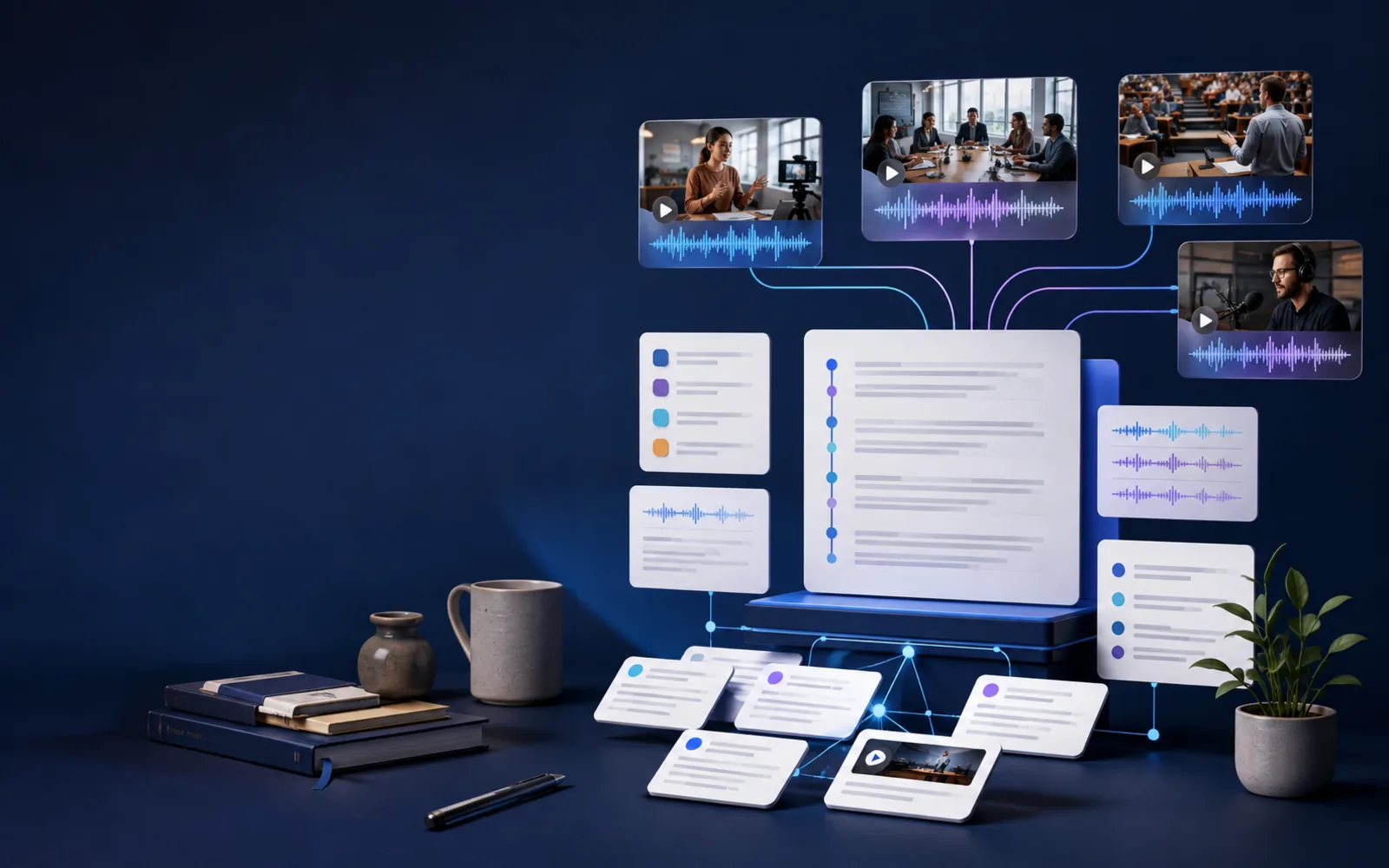
Add any video and Libraryminds turns speech into a searchable transcript, understands what was actually said, and lets you ask a question the way you'd ask a person — "what did she say about retention?" — then drops you on the exact moment it was answered. No scrubbing. No rewatching. No losing what you learned.
Ask like a person "What did she say about retention?" — and land on the exact moment it was answered. No scrubbing. No rewatching.
For whom Anyone who learns from video — students, researchers, professionals, and creators building a knowledge library they can actually search.
Try It Free
Core Benefits
Watch less. Know more.
Find answers, not videos
Ask in plain language and jump to the exact timestamp. Semantic search understands meaning, not just keywords.
Remember everything
Every video becomes part of a permanent, searchable library. That insight from six months ago is one search away.
Learn in any language
Translate any transcript into 10 languages — no need to re-process the video.
Features
Everything you need to turn video into knowledge
One feature per job — search, summarise, transcribe, export, and automate. Here's the product doing real work.
Semantic Video Search
Find the answer by meaning, even if you don't remember the exact words. Ask "how do I reduce churn?" and land on the retention advice — even if the speaker never said "churn."
AI Summaries, Chapters & Flashcards
Turn a 90-minute lecture into a one-page summary, navigable chapters, and a revision deck — in one click.
Accurate AI Transcription
YouTube, podcasts, lectures, webinars, meetings. If it has speech, Libraryminds turns it into clean, searchable, exportable text.
Export Anywhere
Download in SRT, VTT, TXT, Markdown, or send straight to Notion. Your data, your formats.
Developer API
Automate transcription and search inside your own workflow with a clean REST API.
Import Any YouTube Video Instantly
Paste any YouTube link — tutorials, lectures, courses, long-form videos — and make it permanently searchable. Add worldwide educational content to your personal knowledge library without downloading or storing a single video file.
New: Google Drive auto-save
Your transcripts, saved to your Google Drive
Connect Google Drive once and turn on auto-save. Every transcript you finish after that is saved as a Google Doc in a Libraryminds folder in your Drive.
A copy you own
Each transcript is a normal Google Doc in your Drive. Deleting it in Libraryminds doesn't remove your copy.
Works with your Google tools
Open, search, edit, and share transcripts in Google Docs and Drive, the same way you share any other file.
Access stays narrow
Libraryminds can only see the files it creates in your Drive. Turn auto-save off or disconnect at any time.
How Google Drive auto-save works
How it works
From video to answer in three steps
- Add a video — Paste a link or upload a recording. Files are deleted after processing — only the searchable text stays in your library.
- Libraryminds transcribes & understands it — AI turns speech into a searchable transcript in minutes, then generates chapters, key takeaways, and study-friendly summaries — all grounded in the actual content.
- Search, summarise, export — Ask a question, get the exact moment, and save what matters. Every line is linked to the video — click any moment to jump straight to it.
Start Free
Pricing
Free to start. Simple to scale.
Start with 190 free minutes — no credit card. Every plan includes search, summaries, and export. Upgrade only when you need more.
Scale your plan when your knowledge work demands more powerful AI tools.
Plus
India: ₹799/mo · International: $9.99/mo (Billed in INR · USD estimate incl. bank conversion)
250 transcription minutes
- 250 min / month
- AI Chat — ask your transcript anything
- Ask My Library — searches your library, reasons about gaps, and searches again before giving a cited answer with timestamps. Available on Plus and higher plans.
- Flashcards Hub — every flashcard from every transcript in one place, with FSRS spaced repetition tracking which cards are due across your library. Available on Plus and Pro.
- Speaker labeling (who said what)
- Voice recording in-browser
- Web Article Clipper & EPUB import
- Webhooks for automated workflows
28 features included · See all
Get Started Free
Pro
Popular
India: ₹1,899/mo · International: $23.74/mo (Billed in INR · USD estimate incl. bank conversion)
800 transcription minutes
- 800 min / month
- Contradiction Engine — detect conflicts between sources, review full analysis history, and resolve contradictions with written notes.
- Argument Map — draws the logical connections between claims in your Research Sessions as an interactive visual graph.
- Research Sessions & Margin Notes
- Knowledge Decay tracking & Ingest API
- Podcast RSS Feed — publish your library
- Everything in Plus — full advanced toolset
32 features included · See all
Get Started Free
Business
India: ₹2,499/mo · International: $31.24/mo (Billed in INR · USD estimate incl. bank conversion)
Team plan with shared workspace pool, meeting recording, and admin controls
- 300 min / month — shared team transcription pool
- 5 seats included — add more at ₹329 / seat / month
- Meeting Bot with calendar auto-join & recording
- 20 hr meeting recording / month (shared team pool)
- Ask My Library & semantic search across team library
- Meeting summary, MOM, translation & shareable links
- Webhooks, Ingest API & 1 GB storage per workspace
10 features included · See all
Get Started Free
Individual plans: 190 free minutes · No credit card required · Cancel anytime
Business: 15 min free meeting bot + 30 min transcription one-time trial · No credit card required · Cancel anytime
See Full Pricing
Libraryminds Business Plan
The meeting-to-knowledge layer your team has been missing
Libraryminds Business gives teams a shared, searchable knowledge base built automatically from every meeting, client call, webinar, and internal recording — no manual note-taking, no lost context, no replay required.
Ready to turn every meeting into company knowledge? 15 min free meeting bot + 30 min transcription trial. No credit card required.
AI Meeting Bot
Provide an eligible Zoom, Google Meet, or Microsoft Teams link. The bot attempts to join at the scheduled time; recording, transcription, and summary delivery depend on meeting and processing conditions.
Zoom · Google Meet · MS Teams
Shared Workspace Library
Completed team transcripts can be stored in a shared workspace library. Members can search transcripts they are permitted to access after indexing.
Shared Search · Team Access
Speaker Diarization
AI diarization separates and labels speakers in a recording. You can rename labels and review them before using the transcript.
Who Said What · Speaker Labels
Multilingual Meeting Support
Automatic language detection with dedicated support for 10 major world languages, plus AI-powered translation to make every transcript accessible to your whole team.
10 Languages · Auto-Translate
Webhooks & REST API
Use HMAC-signed webhooks, the REST API, and HTTP Ingest API compatibility to connect supported workflows. Native Zapier, Make, and n8n connectors are not claimed.
Webhooks · REST API · HTTP Ingest API
Team Credit Pool & Admin Controls
One shared pool of transcription minutes for your whole team. Admins control who has access, see workspace usage, and manage billing from a single dashboard — no per-seat surprises.
Shared Credits · Admin Dashboard
Everything in the Business Plan
- AI Meeting Bot (Zoom / Meet / Teams)
- Shared workspace library
- Speaker diarization
- Multilingual transcription (10 major languages)
- AI-powered meeting summaries
- Semantic search across all team meetings
- Action item & decision extraction
- Webhooks + REST API
- HTTP Ingest API compatibility
- Team credit pool billing
- Admin dashboard & usage analytics
- Margin notes on transcripts
- Transcript sharing links
- Web article & document import
- Large file uploads (up to 2 GB)
- Ask My Library — chat with your team's knowledge
Start Team Free Trial
Use cases
However you learn from video, this is for you
From students and researchers to professionals and creators — here's how people put Libraryminds to work.
Students
Turn lectures into searchable notes and flashcards before exams.
Researchers
Search across hours of interviews for every mention of a theme.
Professionals
Make every meeting and webinar searchable; find who agreed to what.
Creators
Give your audience a searchable companion to your content.
See all use cases
Founder's Note
We built Libraryminds because we were tired of losing key insights in 3-hour Zoom calls and long YouTube tutorials. We needed a brain that could "Ctrl+F" video. Now, it's yours.
Every feature we build starts with a simple question: "Will this help someone remember what they watched?" If the answer is no, we don't build it. Libraryminds isn't a transcription tool with a search bar bolted on. It's a knowledge system designed from day one to make video memory permanent.
— The Libraryminds Team, Building the future of video knowledge
Why Libraryminds
Not a feature. A different category.
YouTube
YouTube: Watching · Libraryminds: Understanding
ChatGPT
ChatGPT: General knowledge · Libraryminds: Your personal video knowledge
Otter / Descript
They: Transcription tools · Libraryminds: Knowledge engine
Our Journey
Milestones
We started in December 2025. Here's what we've accomplished so far.
Libraryminds launched
— First version live — upload, transcribe, and search any video.
Invited to HICOOL 2026
— Invited by Gobi Partners to the HICOOL 2026 Global Entrepreneurship Competition. Read more
AWS Startups Showcase
— Libraryminds listed in the official AWS Startups Showcase. View listing
From the Blog
Guides, tips, and ideas for video learners.
All articles
Complete Feature List
Core AI tools in every plan. Research-grade capabilities as you grow.
Every plan includes AI transcription, semantic search, and summaries. Advanced tools — multi-speaker identification, AI research sessions, source conflict detection, and auto-ingestion — unlock on higher tiers built for serious knowledge work.
Upload Any Format
- Audio: MP3, WAV, M4A, AAC, OGG
- Video: MP4, MOV, MKV, AVI, WebM
- YouTube video links
- Documents: PDF, DOCX, TXT, Markdown
- Document URL import & Slack workspace ZIP
- Voice recording (record directly in-browser)
- Web Article Clipper & EPUB / ebook import
- Image & screenshot OCR
- Import existing transcript files
AI Transcription
- Transcribe supported audio, video, and eligible YouTube sources
- Results vary with recording quality, language, accents, and background noise
- Transcription in 10 major world languages — auto-detected from your audio
- Translate any transcript into 10 languages after transcription
- Word-level timestamps — every sentence linked to its exact moment
Knowledge & Memory Tools
- AI-generated summaries, chapters & action items
- AI Chat — ask any question about the transcript and get instant answers
- Ask My Library — searches your library, reasons about gaps, and searches again before giving a cited answer with timestamps
- Speaker diarization — who said what, automatically labeled
- Flashcard review mode — flip cards with Know/Still-learning tracking
- Citation Generator — APA, MLA, Chicago, BibTeX with timestamps
- Knowledge Decay tracking — surface what you're forgetting
- Bookmarks, notes, and personal comments
AI Semantic Search
- Keyword mode: instant exact-word search across your whole library
- AI Semantic mode: search by meaning, not just matching words
- Find concepts even when you don't remember the exact phrasing
- Results ranked by relevance — most similar moments surface first
Export in Any Format
- Plain text (.txt) for notes and documents
- SRT and VTT subtitle files for videos
- Word document (.docx) — opens in Microsoft Word
- Markdown (.md) for blogs and wikis
- Notion-friendly export for teams
- Obsidian vault export with YAML frontmatter
- Google Drive auto-save — each new transcript saved as a Google Doc
Share & Collaborate
- Public transcript sharing via unique link
- Team workspaces for shared libraries
- Show Notes and YouTube Chapters — generated once, saved permanently, ready to copy whenever you return
- Create Twitter threads, LinkedIn posts & quotes from transcripts
- My Learning view — track what you've studied
Developer & API Access
- REST API with Bearer token authentication
- Submit YouTube URLs and upload files via API
- Poll transcription status and fetch transcripts via API
- Webhooks — HMAC-signed job.completed & job.failed event delivery
- Ingest API / Zapier webhook — trigger transcription from any tool
Chrome Extension
- One-click transcription on YouTube videos
- Sign in with Google — no separate account needed
- Credit balance syncs with your web app in real time
- Available now on the Chrome Web Store (v1.4.0)
- Ambient Capture — auto-detects videos as you browse
- Bulk Transcribe — queue multiple videos at once
- Interest Badge — see if a video matches your library topics
- Channel Updates — new subscription videos inside the popup
Source Conflict Detection & Research Sessions
- Contradiction Engine — automatically flag where sources disagree across multiple transcripts
- Research Sessions — group related transcripts into named projects (e.g. 'Q3 Interviews')
- Margin Notes — colour-coded annotations anchored to the exact timestamp you mark
RSS, Subscriptions & Auto-Ingestion
- Podcast RSS Feed — publish your library as RSS 2.0 (Pro)
- YouTube Channel Subscriptions — auto-transcribe new videos (Plus+)
- Blog & Newsletter RSS subscriptions — auto-import new articles (Plus+)
- HMAC-signed, secure feed URL unique to your account
- Subscribe from any RSS reader or podcast aggregator
- New episodes and articles processed automatically — hands-free
Available Worldwide
Libraryminds is now open to users in every country.
Whether you're in the United States, United Kingdom, Australia, Canada, Germany, Singapore, or anywhere else in the world — Libraryminds is open to you. Sign up in seconds and start building your searchable video library today. Payment methods depend on the provider and location.
Prices shown in USD for international users. Checkout is billed in INR — your bank or card network handles currency conversion.
- 130+ Countries accepted
- 10 Major languages transcribed
- 100% Secure payments
Free Tools
Free tools — no account needed
Nineteen standalone tools you can use right now, free, without signing up. Built for audio, video, and subtitle workflows.
Transcribe any YouTube video free. Get a full searchable transcript — no account needed. Try free
See how long a whole YouTube playlist takes to watch, at normal speed and up to 2x. Try free
Transcribe any audio or short video file free. No account required. Try free
Convert text to natural-sounding audio in 9 languages. Download as MP3. Try free
Check SRT and VTT subtitle files for errors, timing issues, and formatting problems. Try free
Build YouTube chapter timestamps visually. Copy and paste directly into your description. Try free
Pick a date, time and timezone to get Discord timestamp codes that show in every reader's own timezone. Try free
Convert subtitle files between SRT, VTT and plain text. Runs in your browser, nothing is uploaded. Try free
Find how long a video or course takes at 1.25x, 1.5x, 2x or any speed, or the speed you need to finish in time. Try free
Add or subtract hours, minutes, seconds and days, or find the clock time after a span of time. Try free
Find the hours between a start and end time less a break, night shifts included, then total a week of shifts as hours and decimal hours. Try free
Find the number of days between two dates, or add or subtract days, weeks, months and years from a date. Try free
Convert CGPA to percentage or percentage to CGPA with the formula you choose, and compare the results side by side. Try free
Convert an image to text in your browser and copy it or save it as TXT or Word. Your image is never uploaded. Try free
Paste an AI summary and its transcript to list the numbers, names and quotes the transcript does not contain. Try free
Edit SRT and VTT subtitles in your browser: fix text and times, delete cues and shift all timing to fix sync. Try free
Count words, characters, sentences, and reading time instantly. Try free
Check character limits for Twitter, Instagram, YouTube titles, and meta descriptions. Try free
Check a video or audio file's length, or add up a list of durations. Runs in your browser. Try free
Early Feedback
What early users say
And yes — we heard the feedback: expanding the developer API beyond YouTube is on our roadmap.
“Good tool. Sematic is pro level but need to work on developer api as it is currently working only with Youtube Transcription.”
Featured in the AWS Startups Showcase
FAQ
Questions people ask
General
- What is Libraryminds?
- Libraryminds is an AI-powered video knowledge engine that transcribes supported video and audio and makes completed transcripts searchable, so you can find answers by searching indexed transcripts and build a searchable library from everything you watch.
- Can I really search inside a video?
- Yes. Libraryminds understands the meaning of what's said, not just keywords, so you can ask a question in plain language and jump straight to the moment it's answered.
- How is it different from transcription tools?
- Most tools stop at a transcript. Libraryminds adds semantic search, AI summaries and flashcards, translation without re-processing, and a permanent searchable library — a knowledge engine, not just a transcriber.
- What videos can I add?
- YouTube videos, podcasts, lectures, webinars, and your own meeting or class recordings. If it has speech, Libraryminds turns it into clean, searchable, exportable text.
- Is there a free plan?
- Yes — you get 190 free transcription minutes at no cost, with no credit card required. Paid plans add more minutes and advanced features.
- Why YouTube support?
- YouTube exists in Libraryminds so you can add worldwide knowledge to your personal library. It's for education and skill building, not entertainment. Captions are indexed and videos are never stored.
- Does Libraryminds offer open-source tools?
- Yes. Libraryminds publishes standalone open-source tools on its official GitHub organization. Each repository is one focused tool for one specific job — clone it, run it on your own machine or cloud, add your Libraryminds API key, and it works. Because the code is open source, you can also customize it or white-label it under your own brand.
- Can Libraryminds save my transcripts to Google Drive?
- Yes. Connect Google Drive in Settings and turn on auto-save, and each new transcript is saved as a Google Doc in a Libraryminds folder in your Drive. Libraryminds can only access the files it creates there. It's available on individual accounts, including the Free plan.
International
- Is Libraryminds available in my country?
- Yes — Libraryminds is available in every country without exception. There are no geographic restrictions on sign-up, usage, or access to any feature. You can sign up and use Libraryminds from the US, UK, Australia, Canada, Germany, France, Singapore, Japan, and 130+ other countries.
- Can I pay with an international credit or debit card?
- Yes. We accept Visa and Mastercard from supported countries. Payment is processed securely by our payment provider. Prices are shown in USD for international users as an estimate that includes about 5% for typical bank or card conversion costs; your bank or card network handles currency conversion. No additional Libraryminds conversion fee is added.
- Why is payment processed in INR if I'm outside India?
- Libraryminds checkout is billed in INR. When you pay, your card is charged the plan's INR price; the USD price shown is an estimate. Your bank or card network handles the currency conversion, so the final amount in your currency may differ slightly.
- Are prices different for users in the US, UK, or Australia compared to India?
- Indian users see prices in INR. International users (US, UK, AU, CA, EU, and all other countries) see prices in USD. The features, limits, and support are exactly the same across all regions — no region-specific restrictions or content locks.
- What languages can Libraryminds transcribe?
- Libraryminds provides automatic language detection with dedicated support for 10 major world languages: English, Hindi, Spanish, French, German, Portuguese, Chinese (Mandarin), Japanese, Korean, and Arabic. The language is detected automatically from your audio, or you can specify it manually before upload.
- Can I use Libraryminds in English if I'm from a non-English-speaking country?
- Absolutely. The platform interface is fully in English and works the same for every user worldwide. You can upload videos in any language and search them in English, or read the transcript in the language it was spoken.
- Is my data safe with a company based in India?
- Libraryminds deletes uploaded source files automatically after processing completes. Business workspaces can optionally keep meeting recordings through a separate user-controlled storage workflow. Transcripts and related records are protected with encryption at rest and access controls. Libraryminds supports GDPR-aligned data handling but has not been independently audited or certified as GDPR compliant, and it does not use your content to train AI models or submit your content for model training.
- Do I need a local phone number or Indian address to sign up?
- No. You only need an email address. No phone number, no local address, no identity document. Sign up from anywhere in the world in under 30 seconds.
Features
- Does Libraryminds have a Chrome extension?
- Yes. The Libraryminds Chrome extension lets you transcribe a YouTube video in one click — directly from your browser. Sign in with Google inside the extension popup, start transcribing, and the video is added to your knowledge library without leaving the page. It's available on the Chrome Web Store (version 1.4.0) and your credit balance stays in sync across the extension and the web app.
- What is AI Semantic Search?
- AI Semantic Search lets you search your videos by meaning, not just exact words. Type 'growth mindset' and find moments where the speaker talked about resilience or learning from failure — even if they never used that exact phrase. Powered by vector embeddings, Libraryminds ranks results by relevance so the most meaningful moments surface first. You can toggle between Keyword mode and AI Semantic mode on any transcript.
- What is AI Ask and how does it work?
- AI Ask lets you ask any question about a transcript and get an instant, grounded answer. Type 'What was the main argument?' or 'What actions did the speaker recommend?' and the AI answers from the transcript only — never from external data or assumptions. Every answer is grounded in your actual video content with timestamps you can verify. Available on all paid plans.
- Can I share transcripts with my team?
- Yes. Team Workspaces let you create named spaces, invite collaborators by email, and share completed transcriptions with your team. You can also generate a public link for any transcript — shareable with anyone, no account required. Team Workspaces are available on the Business plan; public transcript links are available on Plus and higher plans.
- Can I import transcripts from other tools?
- Yes. If you already have transcripts from Otter, Zoom, Descript, Rev, or any other tool, you can upload them directly. No transcription minutes are used. This is available on all paid plans.
- Can I read transcripts in my own language?
- Yes. Libraryminds transcribes in 10 major world languages — English, Hindi, Spanish, French, German, Portuguese, Chinese, Japanese, Korean, and Arabic — with automatic language detection. Completed transcripts can also be translated between these languages, so you can read and search in your own language. More languages coming soon.
- What is Ask My Library and how does it work?
- Ask My Library lets you have a conversation with your entire transcript collection — not just one video at a time. Ask 'What have I learned about pricing strategy?' and the AI searches across every transcript in your library, pulls the most relevant segments using semantic search, and gives you an answer with source links. AI output should be checked against the linked transcript when accuracy matters. Available on Plus+ plans.
- Can Libraryminds identify different speakers in a recording?
- Yes — with Speaker Diarization. When you upload a multi-speaker recording (a panel discussion, a meeting, an interview), Libraryminds automatically labels each segment by speaker: 'Speaker 1', 'Speaker 2', and so on. The labels are embedded in the transcript so you can search by speaker or export the labelled text. Available on paid plans and powered by our advanced speaker detection model.
- What is the Contradiction Engine?
- The Contradiction Engine compares two or more of your transcripts and flags moments where speakers said directly conflicting things. If one expert said 'avoid carbs' and another said 'complex carbs are essential', the engine highlights both. It's built for researchers, analysts, and anyone who reviews multiple sources and needs to spot where the evidence disagrees. Available on Pro+ plans.
- What are Research Sessions and Margin Notes?
- Research Sessions let you group multiple transcripts together under a named project — for example, 'Q3 Customer Interviews' or 'Climate Policy Research'. Inside a session, you can add Margin Notes: colour-coded annotations you attach to any timestamp in any transcript. Notes are private to you and stay anchored to the exact moment you marked. Both are available on Pro+ plans.
- How does the Podcast RSS Feed work?
- The Podcast RSS Feed turns your Libraryminds transcript library into a subscribable RSS 2.0 feed. Once enabled, your completed transcripts are published to a unique, HMAC-signed URL that only you know. You can subscribe to it in any RSS reader (Feedly, Inoreader, Apple Podcasts) and receive your new transcripts as feed items — including timestamps, AI summaries, and links. Available on Pro plans.
- Can I record audio directly in Libraryminds?
- Yes. Voice recording is built into the web app — no separate app or microphone driver required. Click Record, capture your meeting, interview, or voice note, and Libraryminds transcribes it after you stop recording. The result is added to your library exactly like any other transcript. Available on all plans.
- What is the Web Article Clipper?
- The Web Article Clipper lets you paste any article URL and Libraryminds extracts the full article text, making it searchable in your library alongside your video transcripts. It works on blogs, news articles, and most public web pages. The Free plan includes 10 clips per month; Plus and higher plans are unlimited.
- Can I import ebooks and EPUB files?
- Yes. Upload any EPUB file and Libraryminds parses every chapter, making the full text searchable. Your ebook highlights and notes can live in the same library as your video transcripts. Available on Plus+ plans.
- How does Image and Screenshot OCR work?
- Upload any image — a screenshot, whiteboard photo, slide, or scanned document — and Libraryminds uses AI vision to extract readable text; results vary by image quality. The extracted text is added to your library and made searchable. Works with JPEG, PNG, WEBP, and most common image formats. The Free plan includes 10 images per month; Plus and higher plans are unlimited.
- How do YouTube Channel Subscriptions work?
- Subscribe to a YouTube channel by URL and Libraryminds checks it for new uploads. On Plus and higher plans, new videos are queued for transcription automatically (up to 3 per channel per check) and added to your library. Free users can subscribe to up to 2 channels; Plus and higher plans support up to 10.
- What are Blog and Newsletter RSS subscriptions?
- Paste any blog or newsletter RSS/Atom feed URL and Libraryminds automatically imports new articles as they publish. Articles are extracted, made searchable, and added to your library alongside your video content — fully hands-free. Available on Plus and higher plans.
- What is the Ingest API and how does Zapier work with it?
- The Ingest API is a webhook endpoint you can call from any tool to trigger a YouTube transcription without opening Libraryminds. Automation tools such as Zapier, Make, and n8n can connect through custom HTTP steps; HTTP Ingest API compatibility requires Pro or higher. Every time a trigger fires, Libraryminds transcribes the URL automatically. Available on Pro and Business plans.
- What is Knowledge Decay tracking?
- Knowledge Decay tracks which videos and articles you haven't revisited for a while and surfaces them before the knowledge fades from memory. It uses a spaced-repetition inspired algorithm — items you engaged with recently fade slowly; items you haven't touched in weeks appear first. Think of it as a forgetting curve for your library. Available on Pro plans.
- What are Show Notes and YouTube Chapter exports?
- One click generates a complete set of podcast show notes — formatted for blog posts, episode descriptions, or speaker bios — and a separate set of timestamped YouTube chapter markers ready to paste into your video description. Both are generated from the transcript automatically, so they match the actual content of the video. Available on Plus+ plans.
Privacy & Data
- Do you store my videos?
- No. Videos you upload for transcription are deleted automatically after processing — whether successful or failed. Libraryminds is private by design; only the searchable text remains in your personal library. (Business workspaces can optionally keep meeting recordings in their own workspace storage.)
- What is your data retention policy?
- Video and audio files uploaded for transcription are deleted automatically after processing, whether the job succeeds or fails. Libraryminds does not use your content to train AI models or submit your content for model training. Only the text transcript remains in your encrypted personal library, fully under your control. The one exception is optional: Business workspaces can choose to keep meeting recordings in their 1 GB workspace storage (or their own Google Drive), and can delete them at any time.
- How does Libraryminds AI avoid hallucinations?
- Libraryminds generates summaries, highlights, and answers from available transcript context. Where source links or timestamps are available, use them to verify important output against the original recording.
- How does Libraryminds support GDPR-aligned data handling?
- Libraryminds supports GDPR-aligned data handling through automatic source-file deletion after processing, account and workspace deletion controls, and rights-request handling. Libraryminds has not been independently audited or certified as GDPR compliant.
Business
- What is the Libraryminds Business plan?
- Libraryminds Business is a team knowledge platform for supported meeting recordings. It produces AI-generated transcripts with speaker labels for review and stores completed transcripts in a shared workspace library. A bot can join configured Zoom, Google Meet, or Microsoft Teams meetings.
- How does the AI meeting bot work?
- You provide an eligible Zoom, Google Meet, or Microsoft Teams link manually or through a connected calendar. The bot attempts to join at the scheduled time; processing and delivery time vary after the call ends.
- Which conferencing platforms does the meeting bot support?
- The AI meeting bot currently supports Zoom, Google Meet, and Microsoft Teams. You can invite the bot via a direct meeting URL or calendar link.
- Can the whole team search across all meetings?
- Workspace members can search completed transcripts they are permitted to access. Keyword search is available after indexing, and semantic search becomes available after background embeddings are generated; timing varies.
- How is billing handled for a business workspace?
- Business billing is workspace-level. The workspace has a shared pool of transcription minutes that all team members draw from. The plan includes 5 seats; additional seats are ₹329 per seat per month. The workspace admin manages billing, seats, and usage from one dashboard, so team members do not need separate subscriptions.
- Does Libraryminds Business identify different speakers?
- Speaker diarization automatically separates and labels distinct voices in a meeting. You can rename speakers after the call and review labels before filtering, searching, or exporting a transcript.
- Can we connect Libraryminds Business to Slack, Notion, or our CRM?
- Libraryminds Business includes HMAC-signed webhooks, a REST API, and HTTP Ingest API compatibility on Pro and higher plans. Native Zapier, Make, and n8n connectors are not claimed. Webhooks fire for job.completed and job.failed events.
- Is there a free trial for the business plan?
- Yes. Every new business workspace gets a one-time trial: 15 minutes of AI meeting bot usage and 30 minutes of transcription — no credit card required. This lets you test the full workflow including the bot, shared workspace, speaker labels, and summaries before committing.
- What is Ask My Library for teams?
- Ask My Library is an AI interface for querying indexed workspace transcripts a member can access. Answers can include source links, but AI output should be checked against the linked transcript when accuracy matters.
- How does Libraryminds Business support GDPR-aligned data handling?
- Libraryminds supports GDPR-aligned data handling through automatic source-file deletion after processing, account and workspace deletion controls, rights-request handling, encrypted storage, and access controls. Libraryminds does not use your content to train AI models or submit your content for model training. Libraryminds has not been independently audited or certified as GDPR compliant.
Want the full breakdown of the Business plan? See Business Page
Stop rewatching. Start finding.
Turn everything you watch into knowledge you can actually use. 190 free minutes. No credit card. No commitment.
Start Free — No Credit Card Needed