Personal Knowledge Management (PKM)
How to Build a Multi-Modal Second Brain
Turn scattered videos, podcasts, and documents into a single searchable second brain. This guide explains capture, organization, semantic search, AI summaries, and routines to keep your knowledge usable.
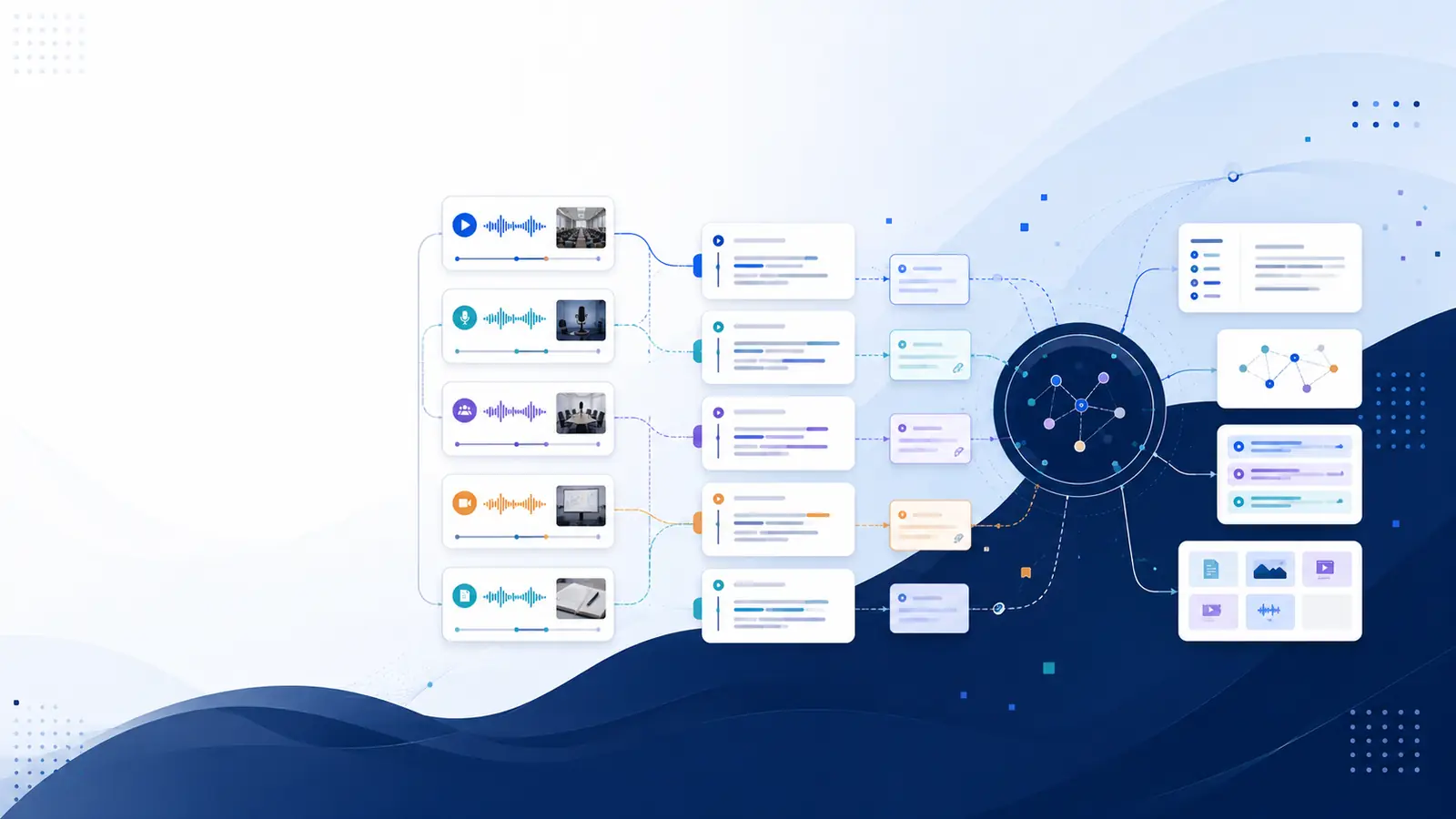
Answer up front: what a Multi-Modal Second Brain does for you
A Multi-Modal Second Brain captures audio, video, images, and text, turns them into searchable knowledge, and returns exact moments as evidence so you don’t rewatch or re-scan hours of material. The core benefit is quick retrieval: ask a plain-language question and jump to the timestamped transcript or a concise AI summary. Start by deciding which formats matter most to your workflow, then set capture and retrieval rules so new inputs become immediately useful.
Capture: ingest every format consistently
Capture is the simplest step to get wrong and the hardest to fix later. Design capture rules that cover the sources you use most: browser video, meeting recordings, podcasts, screenshots, and document imports. For browser video, a Chrome extension or a direct YouTube URL import avoids manual downloads; for meetings, export MP4 or record within the browser so you keep a single file per session. Treat every capture as raw material: add a short title, one-line context, and tags that indicate project, people, and urgency.
Practical checklist for ingestion: use a one-click import for online videos; save meeting files to a dedicated folder; clip web articles or upload PDFs directly; take a screenshot when a visual cue matters. If a tool offers a timestamped transcript on import, enable that so every captured file links text to its timecode. For an overview of how video-first capture works, see the page about what Libraryminds does.
Organize: structure for fast retrieval, not for perfection
Organization should prioritize retrieval paths over rigid hierarchies. Use simple metadata fields: project, topic, people, and a confidence note (low, medium, high) about transcript quality. Group related recordings into collections or research sessions so cross-content queries return focused results. Maintain a small set of tags and avoid dozens of overlapping categories that make search noisy.
Create two indexes: a subject index for long-lived topics and a recency index for active projects. Move items from the recency index into subject archives when work finishes. Also keep a daily or weekly import habit: process new files within twenty-four hours so they appear in semantic indexes while context is fresh. To export or reuse transcripts for other tools, consult the multi-format export options.
Search and retrieval: use meaning, not just keywords
Keyword search breaks when you forget the exact phrasing someone used in a video. Semantic search solves that by matching intent and meaning to transcript passages. When transcripts include paragraph-level embeddings and timestamps, a plain-language query can return the precise moment in a recording that answers your question, so you jump straight to the source.
Set up search practices that return usable snippets: prefer queries framed as questions or short descriptions of the point you need, and inspect the timestamped transcript to verify wording. If a platform offers semantic search across your library, enable background embedding so new items become searchable by meaning. For a product overview that emphasizes searchable transcripts and meaning-based retrieval, see the features page.
Distill: convert transcripts into reusable knowledge
Distillation turns raw transcripts into summaries, action items, and study material. Auto-generated AI summaries condense long recordings into structured takeaways you can skim. Break long recordings into chapters to navigate thematic sections and produce flashcards for spaced review if retention matters. Extract action items and assign owners and due dates directly from meeting text so decisions don’t vanish.
If a tool provides ai summaries, flashcard generation, or a timestamped transcript for every file, enable those outputs as part of your post-capture checklist. Keep one short summary per recording and link it back to the exact transcript moments referenced. For techniques on turning transcripts into study aids or notes, review the video-centric guide at video second brain guide.
Maintain: guard against knowledge decay
A second brain is only useful if you revisit it. Build a simple maintenance routine: schedule a weekly review of new entries, a monthly scan of high-value topics, and a quarterly archive cleanup. Use spaced-review flashcards generated from transcripts to prompt retrieval; the act of recalling keeps ideas active and reveals which material is stale.
Signal quality problems early: mark transcripts with poor audio or heavy overlap for reprocessing or manual correction. If your tool tracks knowledge decay it can surface old items you haven’t revisited, making review scheduling easier. For guidance on subscription tiers and features that include revisit tracking, check the pricing page.
Integrations and workflows: automation that reduces friction
Automate boring steps to keep the system alive. Use RSS subscriptions to auto-transcribe podcast feeds, set up webhooks to notify a project channel when a transcript finishes, or connect your cloud drive so completed transcripts are saved automatically for backup. For teams, enable shared workspaces so everyone sees the same timestamped transcript and can add margin notes.
When choosing tools, prefer ones that offer direct imports from common sources and developer integrations like a REST API or ingest endpoints to plug into your workflows. If you need a developer-friendly setup with ingestion automation, the features page documents available integration points and export formats to make transcripts portable.
Frequently asked questions
What counts as multi-modal content?
Multi-modal content includes audio recordings, videos, screenshots with readable text, PDFs, and web articles. The key feature is converting each format into searchable text so the content can be queried by meaning and linked back to the original moment or page.
How accurate are AI transcripts for different recordings?
Accuracy varies with recording quality, background noise, accents, and overlapping speech. Review critical wording against the source and mark low-confidence areas for manual correction. Some platforms offer multi-provider cascades for improved coverage on higher plans.
Can I search across all formats at once?
Yes—if every item is transcribed or OCRed and indexed, semantic search can return results across videos, podcasts, and documents. Ensure background processing completes so embeddings are available for meaning-based search.
How do I keep the second brain from becoming cluttered?
Use lightweight metadata, limited tag sets, and regular review intervals. Archive finished projects, correct poor transcripts, and rely on chapter markers and summaries to avoid rewatching long recordings when you need a quick answer.
Which sources should I import first?
Start with the sources you consult most often: weekly meetings, core lecture recordings, top podcasts, and bookmarked tutorial videos. Prioritize items that are hard to re-find or that contain decisions you must reference later.