Research
Mastering Your Research: How to Archive and Organise Video Transcripts Effectively
To effectively conduct qualitative research, you must efficiently archive and organise video transcripts. This comprehensive guide provides researchers with a step-by-step approach to managing their invaluable video data, ensuring data integrity, streamlining qualitative analysis, and enhancing the overall research workflow.
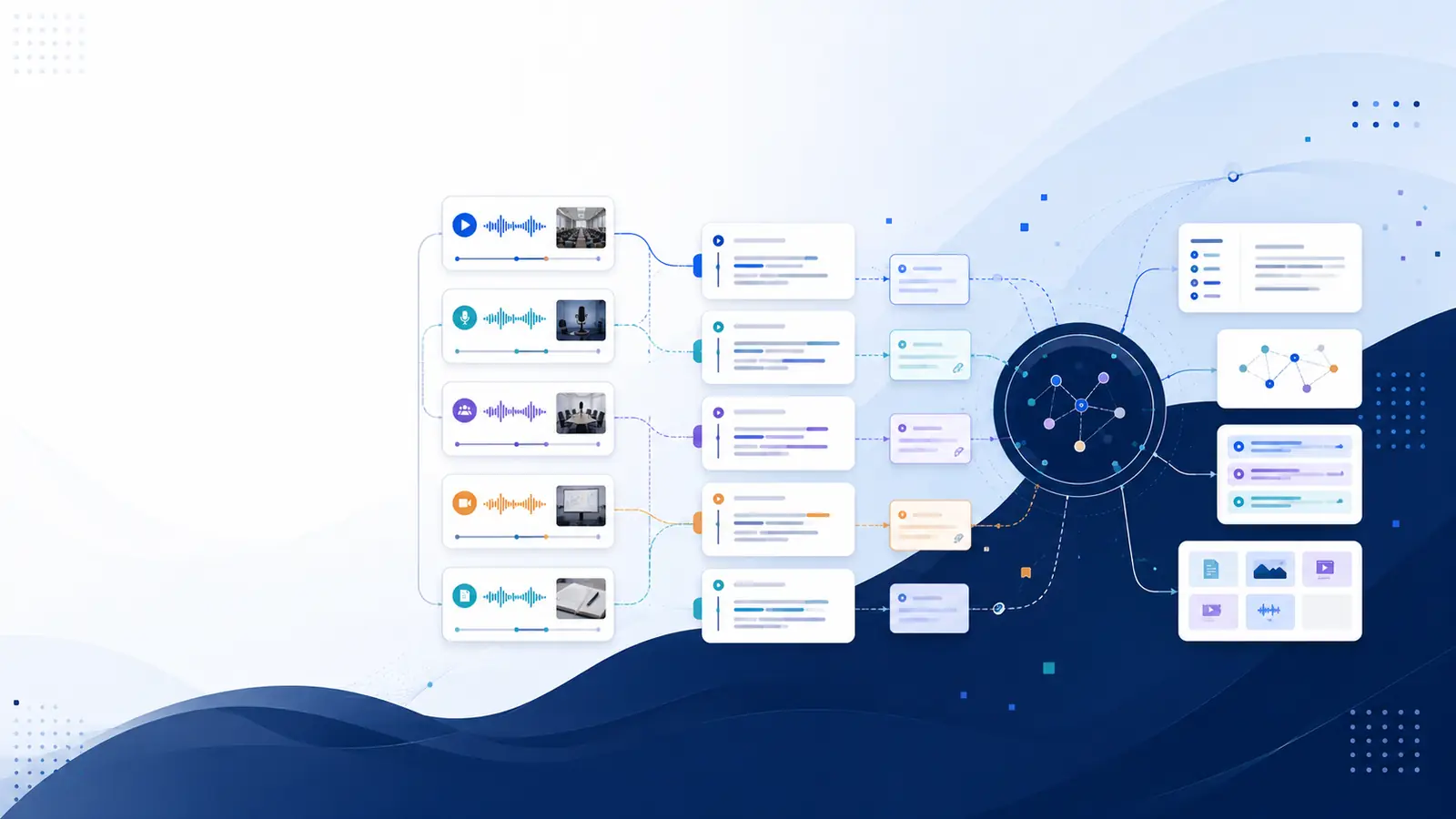
To effectively conduct qualitative research, you must efficiently archive and organise video transcripts. This comprehensive guide provides researchers with a step-by-step approach to managing their invaluable video data, ensuring data integrity, streamlining qualitative analysis, and enhancing the overall research workflow. By implementing robust strategies for digital asset management, you can transform chaotic raw data into an accessible, searchable, and secure knowledge base.
The Importance of Organised Video Transcripts in Qualitative Research
In qualitative research, video transcripts are more than just text files; they are the bedrock of your analysis, capturing spoken words, nuances, and potentially non-verbal cues (when timestamped). The process of transcribing video data, whether from interviews, focus groups, or observational studies, generates a significant volume of information. Without a systematic approach to research project organization, this data can quickly become unwieldy, hindering your progress and potentially compromising the integrity of your findings.
Effective organisation is paramount for several reasons:
- Enhanced Data Integrity: Meticulous organisation ensures that your data is accurate, complete, and protected from loss or corruption. It allows for clear version control and an audit trail, which is crucial for academic research data and its reproducibility.
- Streamlined Qualitative Analysis: When transcripts are well-organised, coding qualitative data becomes significantly more efficient. You can quickly locate specific segments, themes, or participant responses, saving countless hours during the analytical phase. This directly contributes to research workflow optimization.
- Improved Data Retrieval Strategies: Imagine needing to find every instance where a particular concept was discussed across dozens of interviews. With a haphazard system, this task is daunting. A well-organised archive, especially one integrated with advanced search capabilities, makes such data retrieval effortless. You can find any moment without rewatching.
- Ethical Compliance: Properly managing transcripts, especially those containing sensitive participant information, is a critical ethical responsibility. Organisation facilitates anonymization, secure data storage for research, and adherence to data protection regulations.
- Facilitating Collaboration: If you're working as part of a research team, a shared, organised system ensures that all team members can access and understand the data uniformly, fostering consistency in coding and analysis.
- Long-Term Preservation: Research data often has value beyond a single project. A robust research data archiving strategy ensures that your transcripts remain accessible and intelligible for future studies, secondary analyses, or teaching purposes.
Neglecting to properly organise video transcripts can lead to critical research workflow optimization challenges, including lost data, inconsistent analysis, difficulties in defending findings, and significant time wastage. Investing time upfront in establishing a strong organisational system is an investment in the quality and efficiency of your entire research methodology.
Choosing the Right Tools for Transcription and Archiving
The first step in mastering your research data is selecting the appropriate tools for both transcription and archiving. The right tools can drastically improve your video transcription best practices.
Transcription Tools: Manual vs. Automated
-
Manual Transcription:
This involves listening to audio/video recordings and typing out every word. While it offers the highest accuracy, especially for poor audio quality or complex terminology, it is incredibly time-consuming and resource-intensive. A single hour of audio can take 5-10 hours to transcribe manually.
For more on manual transcription, refer to our guide: How to Transcribe Interviews for Research or Journalism: A Step-by-Step Guide.
-
Automated Transcription (AI-powered):
AI-driven transcription services convert audio and video into text much faster and more affordably. Modern AI models have achieved remarkable accuracy, often comparable to human transcription for clear audio. Key features to look for include:
- Timestamped Transcripts: Crucial for connecting text back to specific moments in the video.
- Speaker Diarization: Automatically identifying and labeling different speakers.
- Multi-language Support: Essential for diverse research projects.
- Export Options: Versatile formats like TXT, SRT, VTT for compatibility with analysis software.
Platforms like Libraryminds offer an AI-powered transcription solution that automatically converts your recordings into searchable, structured knowledge with timestamped transcripts. Its multi-provider cascade ensures high accuracy, and features like speaker diarization streamline the process of identifying who said what. This kind of tool significantly accelerates the initial data preparation phase, allowing you to focus more on analysis.
Archiving Tools and Platforms
Once you have your transcripts, you need a secure and accessible place to store them. Your choice will depend on factors like data volume, security needs, team collaboration, and budget.
| Archiving Solution | Pros | Cons | Best For |
|---|---|---|---|
| Local Storage (External Hard Drives) | Full control, no internet dependency, good for very sensitive data (if encrypted). | Vulnerable to physical damage/loss, no easy collaboration, requires manual backup. | Small, solo projects with extreme privacy needs. |
| Cloud Storage (Google Drive, Dropbox, OneDrive) | Easy access anywhere, collaboration features, automatic syncing, often affordable. | Relies on internet, potential data privacy concerns (check terms of service), storage limits. | Team projects, moderate data sensitivity, accessibility needs. |
| Institutional Repositories/Servers | High security, compliance with institutional policies, long-term preservation support. | Access might be restricted, less flexibility, slower setup. | Large-scale academic research data, grant-funded projects. |
| Dedicated Research Platforms (e.g., Libraryminds) | Integrated transcription and knowledge management, semantic search, AI summaries, secure storage. | Subscription costs, learning curve for advanced features. | Researchers seeking comprehensive digital asset management, enhanced data retrieval strategies, and workflow optimization. |
For researchers, platforms that combine transcription with knowledge management, like Libraryminds, offer a significant advantage. Beyond basic storage, they provide features such as semantic search across all transcripts, AI summaries, and the ability to chat with your entire library through "Ask My Library" (RAG). This transforms raw transcripts into an interactive knowledge base, greatly enhancing your data retrieval strategies and ability to make connections across your research.
Step-by-Step Guide to Effective Transcript Naming and Folder Structures
Consistency is key to research project organization. Establishing clear file naming conventions and a logical folder structure from the outset will save you immeasurable time and frustration later on.
1. Develop a Consistent File Naming Convention
Your file names should be informative, unique, and easy to sort. Avoid generic names like "interview1.docx." Instead, incorporate essential metadata directly into the file name. A good convention allows you to understand the file's content without opening it.
Recommended Elements for Naming:
- Project Code/Acronym: Helps distinguish files if you work on multiple projects (e.g., "PROJ-A").
- Date (YYYY-MM-DD): Crucial for chronological sorting and tracking project timelines.
- Participant Identifier (ID): A unique, anonymized code for each participant (e.g., "P001", "FG01-M02"). Avoid using real names for privacy.
- Session/Interview Number: If you have multiple sessions with the same participant.
- Transcript Type/Version: Indicate if it's a raw transcript, cleaned, coded, or a specific version (e.g., "raw", "clean", "v1.0").
- Key Topic/Context (Optional): A very brief descriptor if helpful.
Example Naming Convention: [PROJECT_CODE]_[YYYYMMDD]_[PARTICIPANT_ID]_[SESSION_NUMBER]_[VERSION_TYPE].txt
Practical Examples:
QUALSTUDY_20231026_P005_INT01_clean.docxFOGROUP_20231115_FG02_TSCR_raw.srtOBSERV_20240105_SITEA_v1.0.txt
Tips:
- Use hyphens or underscores for readability. Avoid spaces or special characters that can cause issues in some software or operating systems.
- Keep names concise but descriptive.
- Document your chosen naming convention in your research diary or project plan.
2. Design a Logical Folder Structure
A well-structured folder system mirrors the phases and components of your research, making navigation intuitive. Think hierarchically, moving from broad categories to specific files.
Common Hierarchical Structure:
MyResearchProject/
├── 01_Planning/
│   ├── Ethics_Applications/
│   └── Research_Proposals/
├── 02_Data_Collection/
│   ├── Audio_Video_Raw/
│   │   ├── Interview_P001_20231026.mp4
│   │   └── FocusGroup_FG02_20231115.wav
│   ├── Field_Notes/
│   └── Consent_Forms/
├── 03_Transcripts/
│   ├── Raw_Transcripts/
│   │   ├── QUALSTUDY_20231026_P005_INT01_raw.txt
│   │   └── FOGROUP_20231115_FG02_TSCR_raw.srt
│   ├── Cleaned_Transcripts/
│   │   └── QUALSTUDY_20231026_P005_INT01_clean.docx
│   └── Coded_Transcripts/
│       └── QUALSTUDY_20231026_P005_INT01_coded.qdc (NVivo project file)
├── 04_Analysis/
│   ├── Coding_Schemes/
│   └── Thematic_Maps/
├── 05_Outputs/
│   ├── Publications/
│   └── Presentations/
├── 06_Administrative/
│   └── Budgets/
└── README.md (Describes the folder structure and naming conventions)
Tips for Folder Structure:
- Start Broad, Get Specific: Begin with overarching categories (e.g., Data Collection, Analysis) and then create subfolders for more granular organization.
- Use Numbering for Order: Prefixing folder names with numbers (e.g.,
01_Planning,02_Data_Collection) ensures they appear in a logical order, regardless of alphabetical sorting. - Separate Raw from Processed: Always keep original, raw recordings and transcripts separate from cleaned, edited, or coded versions. This preserves data integrity.
- Include a README File: A simple text file in the top-level directory explaining your folder structure, naming conventions, and any abbreviations used is invaluable, especially for team projects or future reference.
- Version Control within Folders: For ongoing projects, consider having a "Versions" subfolder for critical documents or using version control directly in file names (e.g.,
v1.0,v1.1).
By diligently applying these practices, you establish a solid foundation for research data archiving and efficient data retrieval strategies throughout your project life cycle.
Implementing a Robust Archiving Strategy for Long-Term Data Integrity
Effective research data archiving goes beyond mere storage; it's about ensuring your transcripts remain accessible, intact, and meaningful for the entire lifespan of your research and beyond. This is critical for both current analysis and future reproducibility.
1. The 3-2-1 Backup Rule
This widely recommended strategy is a cornerstone of secure data storage for research:
- 3 Copies of Your Data: Always maintain at least three copies of your transcripts (the original and two backups).
- 2 Different Media Types: Store your copies on at least two different types of storage media (e.g., internal hard drive, external hard drive, cloud storage). This protects against media-specific failures.
- 1 Offsite Copy: Keep at least one copy in a different physical location (e.g., cloud storage, a backup drive at a different address). This protects against disasters like fire or theft at your primary location.
Regularly test your backups to ensure they are recoverable. There's nothing worse than discovering a backup is corrupted when you desperately need it.
2. Choosing Archiving Locations
- Local Storage: Encrypted external hard drives or RAID systems offer immediate access and control. However, they are vulnerable to physical damage.
- Cloud Storage: Services like Google Drive, Dropbox, OneDrive, or specialized research data repositories offer offsite storage, accessibility, and often versioning. Ensure the service complies with your institution's data security and privacy policies, especially for sensitive data.
- Institutional Repositories: Many universities and research organizations provide secure, long-term storage solutions designed for academic research data. These often come with built-in metadata standards and preservation strategies.
3. File Formats for Long-Term Preservation
Choose open and widely supported file formats to ensure your transcripts remain readable years down the line, even as software evolves:
- Plain Text (.txt): The most universal and future-proof format. It lacks formatting but preserves content.
- Rich Text Format (.rtf): Supports basic formatting and is widely compatible.
- PDF/A: An archival standard for PDF documents, ensuring self-containment and long-term readability.
- SRT/VTT: Specifically for timestamped transcripts, these are standard subtitle formats compatible with many media players and analysis tools.
Avoid proprietary formats that require specific software that might become obsolete. If you use a tool that exports in a proprietary format, always ensure you also have an export in an open format.
4. Metadata and Documentation
Metadata is "data about data." For transcripts, this includes:
- Date of recording and transcription.
- Participant ID.
- Location of interview/session.
- Transcriber's name.
- Transcription conventions used (e.g., how pauses, laughter, or unintelligible speech are noted).
- Consent forms and ethical approval details.
Store this metadata alongside your transcripts, ideally in a separate spreadsheet or within a dedicated research data management plan. This ensures that anyone accessing the data in the future understands its context and provenance.
By diligently implementing these archiving strategies, you safeguard your qualitative data management efforts, protect your valuable research assets, and lay the groundwork for rigorous and reproducible research.
Leveraging Software for Efficient Transcript Management and Retrieval
Once your transcripts are generated and archived, dedicated software can transform them from static text files into dynamic, searchable resources, significantly enhancing your data retrieval strategies and aiding in coding qualitative data.
1. Qualitative Data Analysis (QDA) Software
Tools like NVivo, ATLAS.ti, MAXQDA, and Dedoose are specifically designed for managing and analyzing qualitative data. They allow you to:
- Import Transcripts: Easily import your TXT, DOCX, or RTF transcripts.
- Code Data: Apply codes, themes, and categories to segments of your transcripts.
- Link to Media: Many QDA software packages allow you to link transcripts directly back to their original audio/video files, so you can jump from text to the corresponding moment in the recording.
- Query and Retrieve: Perform complex searches to find specific codes, keywords, or combinations of both across your entire dataset.
- Visualize Data: Generate maps, charts, and models to illustrate relationships between codes and themes.
Integrating your well-organised transcripts into these platforms streamlines the analytical process, making it easier to identify patterns and develop robust findings.
2. Knowledge Management Platforms with AI Capabilities
Beyond traditional QDA software, modern AI-powered knowledge management platforms offer innovative ways to manage and interact with your transcripts. Libraryminds, for example, provides several features that fundamentally change how researchers approach transcript management and retrieval:
- Semantic Search: Unlike keyword search, semantic search understands the meaning and context of your queries. You can ask questions in plain English (e.g., "What were the main concerns participants expressed about privacy?") and the platform will find relevant sections across all your transcripts, even if the exact words aren't present. This is a game-changer for data retrieval strategies, making all your searchable video transcripts profoundly more useful.
- "Ask My Library" (RAG - Retrieval Augmented Generation): This feature allows you to chat with all your transcripts as a personal knowledge base. You can pose complex questions and receive synthesized answers based on the content of your entire archive, complete with references back to the exact timestamped segments in your transcripts.
- AI Summaries: Automatically generate summaries of entire transcripts or specific sections, helping you quickly grasp key points without reading every word. This is particularly useful for initial familiarization with data or for reviewing large datasets. You can learn more about this capability on our AI Summaries feature page.
- Timestamped Transcripts and Speaker Diarization: These core features ensure that every word is linked to its exact moment in the recording and that you know who said what, which is vital for accurate qualitative data analysis.
These advanced capabilities reduce the need for extensive re-listening or manual searching, significantly improving research workflow optimization. They empower researchers to explore their data more deeply and efficiently, moving beyond simple keyword matching to contextual understanding.
Best Practices for Data Security and Confidentiality
Handling research transcripts, especially those derived from human participants, necessitates stringent adherence to data security and confidentiality protocols. Neglecting these aspects can lead to ethical breaches, legal ramifications, and damage to your research integrity.
1. Anonymization and Pseudonymization
Before archiving or sharing transcripts, it's crucial to protect participant identities:
- Anonymization: Removing all identifiable information (names, addresses, specific locations, unique biographical details) from the transcript. Once anonymized, data cannot be linked back to an individual.
- Pseudonymization: Replacing identifiable information with artificial identifiers (pseudonyms or codes). This allows you to link data across different sources for the same participant (e.g., transcript to survey response) but requires a secure "key" to re-identify, which must be stored separately and with restricted access.
Decide on your strategy early in the research process and apply it consistently during transcription and data cleaning.
2. Secure Storage and Access Control
Your chosen archiving solution must meet robust security standards:
- Encryption: Ensure that your data is encrypted both "at rest" (when stored) and "in transit" (when being transferred). Most reputable cloud services offer this as standard, but always verify. For local storage, use full-disk encryption or encrypted containers.
- Password Protection: Use strong, unique passwords for all accounts and devices storing research data. Consider multi-factor authentication (MFA) where available.
- Access Permissions: Limit access to transcripts only to authorized research team members. Implement granular permissions, ensuring individuals only have access to the data they need for their specific roles.
- Physical Security: If storing data locally, ensure physical devices (computers, external drives) are kept in secure locations.
Platforms like Libraryminds are built with a privacy-first approach, ensuring your content is stored securely and never used to train third-party AI models. This commitment to data privacy is essential for maintaining participant trust and ethical research practices.
3. Data Transfer and Sharing Protocols
- Secure Transfer Methods: When transferring transcripts between devices or with collaborators, use encrypted channels (e.g., secure file transfer protocols, encrypted cloud services). Avoid sending sensitive data via unencrypted email.
- Data Use Agreements: If sharing data with external parties, establish formal data use agreements that specify the terms of access, usage, and destruction.
4. Compliance with Regulations and Ethical Guidelines
Be aware of and comply with relevant data protection regulations (e.g., GDPR in Europe, HIPAA in the US for health data, institutional IRB/ethics board guidelines). These regulations often dictate how long data can be stored, how it must be protected, and how consent for data use is obtained and managed. Secure data storage for research is not just good practice; it's often a legal and ethical imperative.
Integrating Transcript Organisation with Your Qualitative Analysis Workflow
The true power of well-organised video transcripts emerges when they seamlessly integrate into your qualitative analysis workflow. Your systematic approach to research project organization should directly support your interpretative efforts.
1. Pre-Analysis Familiarization
Before diving into coding, immerse yourself in the data. Organised transcripts make this process much smoother:
- Easy Navigation: Quickly jump between different interviews or sections using timestamped transcripts.
- AI Summaries: Tools like Libraryminds' AI summaries can provide quick overviews, allowing you to rapidly grasp the main points of each transcript before detailed reading. This helps you identify key themes and narratives early on.
- Margin Notes: Make initial observations, questions, or reflective notes directly on your transcripts. Some platforms, like Libraryminds, offer margin notes directly on the digital transcript.
2. Coding and Thematic Analysis
Coding is the process of attaching labels (codes) to segments of text to categorize and describe the data. Organised transcripts are foundational for effective coding qualitative data:
- Consistent Application: With a clear folder structure and naming convention, you can easily retrieve and compare transcripts, ensuring consistency in how you apply codes across your dataset.
- Linking Codes to Context: Timestamped transcripts allow you to instantly refer back to the original video segment, ensuring your codes are grounded in the full context of the interaction, including non-verbal cues.
- Iterative Coding: As your coding scheme evolves, well-managed transcripts facilitate iterative passes through the data, refining codes and categories efficiently.
For more detailed insights into this process, you might find our article Building a Digital Audio Archive for Journalists: A Comprehensive Guide helpful, as many principles apply to research data.
3. Cross-Transcript Synthesis and Comparison
Beyond individual transcripts, qualitative analysis often involves synthesizing findings across your entire dataset. This is where robust data retrieval strategies shine:
- Semantic Search and Querying: Use advanced search capabilities (e.g., semantic search in Libraryminds) or QDA software queries to pull all instances of a particular code, theme, or concept across all participants.
- "Research Sessions": Platforms like Libraryminds allow you to group multiple transcripts for cross-content synthesis, making it easier to see connections and contradictions across your data. The "Contradiction Engine" can even help you pinpoint conflicting claims, enhancing the depth of your analysis.
- Flashcards: Some tools can generate flashcards from key transcript segments, aiding in spaced-repetition learning of critical data points or theoretical concepts, helping you internalize your findings.
4. Report Writing and Dissemination
When it comes time to write up your findings, well-organised transcripts provide the evidence you need:
- Direct Quotations: Easily retrieve precise, timestamped quotations to support your analytical claims.
- Audit Trail: Demonstrate the rigor of your research methodology by showing how you moved from raw data to findings, backed by a clear and accessible archive.
By consciously integrating your transcript organisation with each stage of your analysis, you achieve significant research workflow optimization, leading to more rigorous, defensible, and insightful qualitative research.
Troubleshooting Common Challenges in Transcript Management
Even with the best intentions, researchers often encounter hurdles in managing their transcripts. Anticipating and preparing for these common challenges can prevent significant setbacks.
1. Dealing with Large Volumes of Data
Challenge: As your project grows, the sheer number of video and audio files, combined with their transcripts, can become overwhelming. Navigating through hundreds of files to find specific information becomes nearly impossible.
Solution: Implement your naming conventions and folder structures rigorously from day one. Leverage tools with powerful search capabilities, like semantic search offered by Libraryminds, to quickly pinpoint relevant information without manually sifting through files. Consider batch processing for transcription and archiving to handle large quantities efficiently. Regularly review and consolidate your archive.
2. Version Control Issues
Challenge: Multiple versions of the same transcript (e.g., raw, corrected, coded) can lead to confusion about which is the most current or authoritative file, potentially causing analysis errors.
Solution: Use version numbers or status indicators in your file naming convention (e.g., v1.0, v1.1, _raw, _clean, _coded). Store different versions in distinct subfolders (e.g., "Raw_Transcripts," "Cleaned_Transcripts"). Utilize cloud storage services or dedicated digital asset management for researchers that offer built-in version history. Regularly delete outdated versions once a new, verified version is established, or move them to an "archive" subfolder to keep your working directory clean.
3. Inconsistent Naming and Folder Structures
Challenge: When conventions aren't strictly followed, or multiple people are involved, file names and folder layouts can become inconsistent, undermining the entire organizational system.
Solution: Document your file naming and folder structure rules clearly in a "README" file at the top level of your project directory. Share this document with all team members and enforce its use. Conduct regular audits of your files and folders to ensure compliance and correct any inconsistencies promptly. Automation scripts can also help rename files in bulk if a standard is adopted late.
4. Loss of Data
Challenge: Hardware failure, accidental deletion, or cyber-attacks can lead to irreversible data loss, destroying months or years of work.
Solution: Strictly adhere to the 3-2-1 backup rule. Automate backups where possible (e.g., cloud sync, scheduled external drive backups). Regularly test your backups to ensure data integrity and recoverability. Implement robust cybersecurity measures, including strong passwords, multi-factor authentication, and antivirus software. Ensure secure data storage for research is a continuous process, not a one-time setup.
5. Interoperability Between Tools
Challenge: Transcripts created in one platform might not be easily importable or compatible with your chosen qualitative analysis software or archiving system.
Solution: Prioritize tools that support open and widely used file formats (TXT, RTF, SRT, VTT, DOCX). When choosing transcription services, check their export options. If using a platform like Libraryminds, which offers various export formats, you retain flexibility. Plan your software ecosystem from the beginning, ensuring compatibility between your transcription, storage, and analysis tools to maintain a smooth research workflow optimization.
6. Ethical and Privacy Concerns
Challenge: Ensuring participant confidentiality and adhering to ethical guidelines throughout the transcript management process can be complex.
Solution: Implement anonymization or pseudonymization strategies as early as possible. Store consent forms and ethics approvals separately and securely. Use encrypted storage and restrict access to sensitive data. Always be aware of and comply with relevant data protection regulations and institutional guidelines. Regularly review your practices against your ethical approval.
Further Reading & Sources
Effective research isn't just about data collection; it's equally about how that data is managed, preserved, and made accessible for future insights. As you refine your approach to archiving and organising video transcripts, delving into established best practices can significantly enhance the rigor and efficiency of your work. The resources below offer deeper dives into the methodologies and principles that underpin robust qualitative research and effective data management.
The digital age has transformed how we capture and process information, making tools for efficient transcription and data handling indispensable. Organising video transcripts goes beyond simply saving files; it involves creating a system where every piece of information is easily retrievable, contextualised, and ready for analysis. Consider the value of timestamped transcripts that link directly to specific moments in your recordings, or the ability to quickly search for themes and speaker contributions across an entire archive. Such features move transcripts from static documents to dynamic, interactive research assets, enabling deeper analysis and synthesis.
Beyond the technical aspects of transcription, the overarching principles of good research practice remain paramount. This includes establishing clear protocols for data handling, ensuring ethical considerations are met, and designing systems that support long-term data integrity and accessibility. By integrating these broader guidelines into your transcript management strategy, you not only streamline your current projects but also build a durable foundation for future scholarly endeavors and knowledge discovery.
- Transcribing in the digital age: qualitative research practice utilizing... — Explore the foundational role of transcription in converting raw audio/video data into an accessible, analyzable written format for qualitative research.
- Qualitative Data Management and Analysis: A Research Methods Guide — This comprehensive guide delves into best practices for managing and analyzing qualitative data, offering insights crucial for structuring and interpreting video transcripts.
- Research Guide Design: Best Practices and Guidelines — Learn about effective strategies for designing and maintaining research guides, principles that can be applied to structuring your own comprehensive archive of research materials.
- Ten simple rules for good research practice - PMC — A concise overview of fundamental principles for conducting research ethically and effectively, including considerations for data integrity and management.