Research
How to Transcribe Interviews for Research or Journalism: A Step-by-Step Guide
For researchers and journalists, accurately transcribing interviews is a foundational skill. This guide covers the entire process.
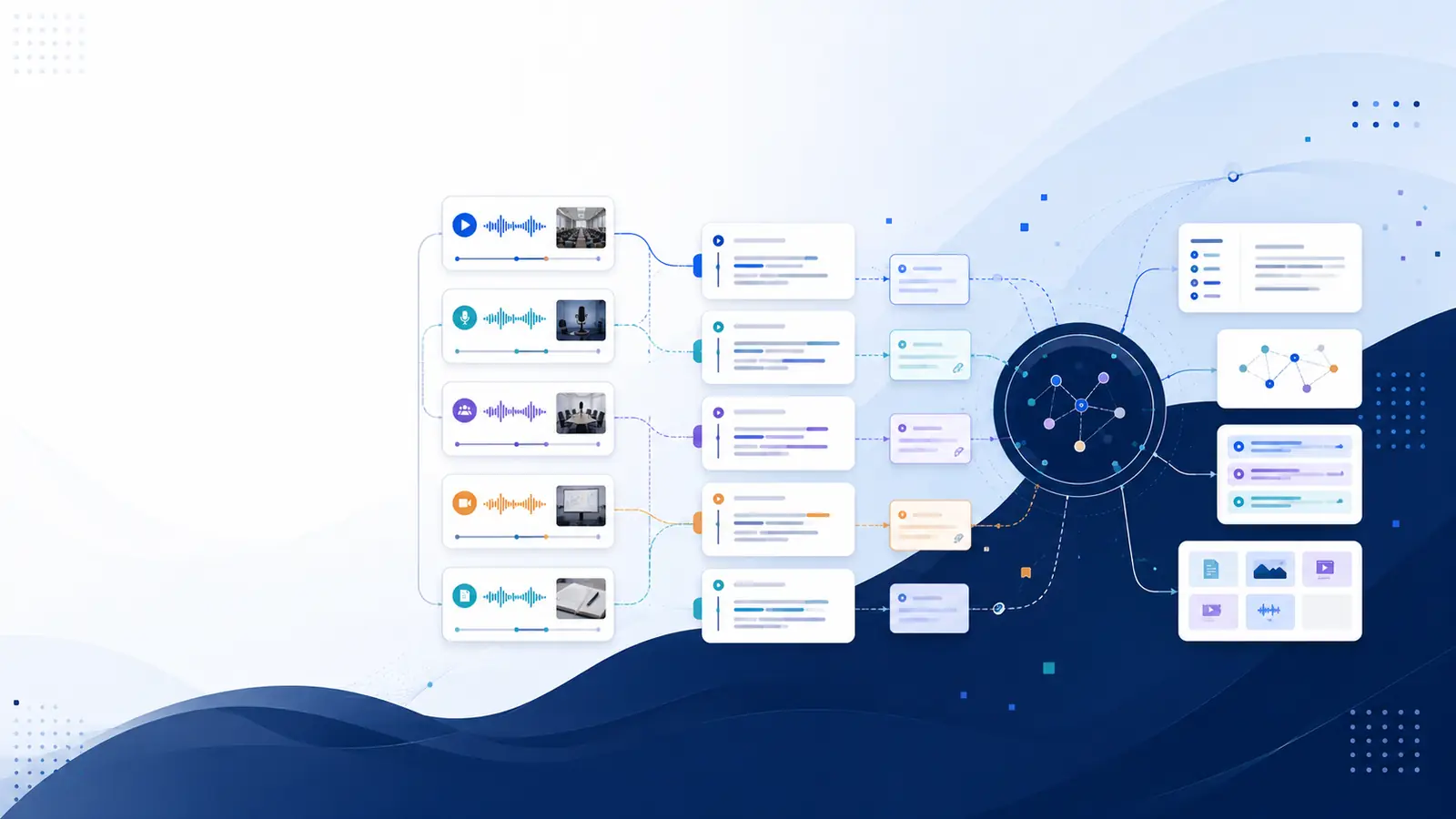
For researchers and journalists, the ability to accurately transcribe interviews is not just a technical skill; it's a foundational element of their craft. Whether you're capturing nuanced qualitative data or ensuring factual accuracy for a breaking news story, turning spoken words into text is a critical step. This comprehensive guide will walk you through the entire process, exploring both traditional manual methods and cutting-edge AI transcription tools, offering best practices tailored for academic rigor and journalistic integrity.
Understanding the 'Why': The Importance of Accurate Interview Transcription
Interview transcription serves as the bridge between raw spoken data and actionable insights. For anyone conducting interviews, whether for academic research, documentary filmmaking, or investigative journalism, the transcribed text becomes the primary document for analysis, verification, and dissemination. Without accurate transcription, the richness of your qualitative data can be lost, and the credibility of your reporting compromised.
For Researchers: Ensuring Rigor and Depth in Qualitative Data
In qualitative research, interviews are often the cornerstone of data collection. Transcribing these interviews meticulously allows you to engage deeply with the spoken word, identifying themes, patterns, and anomalies that might be missed during a live conversation. This process is essential for:
- Detailed Data Analysis: A written transcript enables systematic coding and thematic analysis, allowing researchers to categorize and interpret large volumes of text. This is fundamental for robust qualitative research transcription.
- Accuracy and Verifiability: Every quote used in a research paper must be verifiable. A transcript provides an exact record, ensuring that participant voices are represented accurately.
- Inter-coder Reliability: When multiple researchers analyze data, a consistent transcript ensures everyone is working from the same foundation, enhancing the reliability of findings.
- Longitudinal Studies: Transcripts offer a permanent record, allowing researchers to revisit data years later with fresh perspectives or for comparative studies.
For Journalists: Accuracy, Attribution, and Narrative Building
Journalists rely on interviews to gather facts, capture quotes, and convey narratives. Accurate transcription is paramount for maintaining journalistic ethics and producing compelling content:
- Factual Accuracy: Misquoting sources can severely damage a journalist's reputation and lead to legal issues. Transcripts provide an indisputable record of what was said.
- Direct Quotation: For powerful storytelling, direct quotes are essential. A transcript ensures these quotes are precise and in context. This is vital for effective journalism interview transcription.
- Fact-Checking: In an era of misinformation, transcripts serve as a crucial tool for fact-checking claims and cross-referencing information.
- Narrative Development: By reviewing transcripts, journalists can identify key soundbites, develop story arcs, and structure their articles or broadcasts effectively.
- Archival Value: Transcripts create a searchable archive of interviews, invaluable for future reference or follow-up stories.
Ultimately, investing time and effort into high-quality transcription pays dividends in the form of credible, insightful, and impactful work. It transforms ephemeral spoken words into a tangible, analyzable asset.
Manual Transcription: A Deep Dive into the Traditional Method
Manual transcription, while demanding, offers unparalleled accuracy and a deep immersion into your audio content. It involves listening to an audio or video recording and typing out every word spoken, along with relevant non-verbal cues and timestamps. This method is often favored when absolute precision and nuance are critical.
The Process of Manual Transcription
- Gather Your Tools:
- Good Quality Headphones: Essential for picking up subtle speech nuances and filtering out background noise.
- Transcription Software (Optional but Recommended): While you can use a basic word processor and media player, dedicated transcription software for interviews like Express Scribe, oTranscribe, or even VLC Media Player (with hotkey customization) can significantly improve efficiency. These tools often allow you to control playback speed, rewind/fast-forward with keyboard shortcuts, and integrate with text editors.
- Foot Pedal (Optional): For professional transcribers, a foot pedal allows hands-free control of audio playback, dramatically increasing typing speed and reducing fatigue.
- Word Processor: Microsoft Word, Google Docs, or any text editor will suffice for typing.
- Prepare Your Workspace: Find a quiet environment free from distractions. This is crucial for concentration and minimizing errors.
- Listen and Type:
- Start Slow: Resist the urge to type at full speed immediately. Begin by playing short segments (a few seconds) and typing them out.
- Pause and Rewind Frequently: Don't guess. If you're unsure about a word or phrase, rewind and listen again.
- Speaker Identification: Clearly label who is speaking. Use consistent identifiers (e.g., "Interviewer:", "Participant 1:", "Dr. Smith:").
- Timestamping: Insert timestamps at regular intervals (e.g., every 30-60 seconds) or whenever a new speaker begins. This is invaluable for later review and data analysis transcription, allowing you to quickly locate specific moments in the audio.
- Verbatim vs. Intelligent Verbatim:
- Verbatim: Captures every utterance, including "ums," "uhs," stutters, false starts, and filler words. This is often preferred in linguistic research or when non-verbal cues are important.
- Intelligent Verbatim: Removes filler words, stutters, and repetitions to create a cleaner, more readable transcript while retaining the original meaning and flow. This is common in journalism and most qualitative research.
- Non-verbal Cues: Decide whether to include significant non-verbal sounds (e.g., "[laughter]", "[sigh]", "[doorbell rings]"). This depends on your research or journalistic objectives.
- Proofread and Edit: This is arguably the most critical step.
- Listen While Reading: Play the audio back while reading your transcript. This helps catch errors that spell-checkers can't.
- Read Without Audio: Read the transcript purely as text to check for grammatical errors, typos, and logical flow.
- Cross-reference: If any sections remain unclear, highlight them and revisit the audio multiple times.
Tips for Efficient Manual Transcription
- Take Regular Breaks: Manual transcription is mentally exhausting. Step away from the screen to avoid burnout and maintain focus.
- Use Keyboard Shortcuts: Familiarize yourself with shortcuts for playback control in your chosen software.
- Improve Typing Speed: Practice touch typing if you haven't already.
- Start with Good Audio: The better the original recording quality, the faster and more accurate your transcription will be.
- Consider Outsourcing: If time is extremely limited and budget allows, professional interview transcription services can provide highly accurate manual transcripts. However, ensure they adhere to your specific formatting and confidentiality requirements.
While time-consuming, the manual method offers an intimate understanding of your data and the highest level of transcription accuracy, making it indispensable for certain projects. These manual transcription tips are key to mastering the process.
Leveraging Technology: AI Transcription Tools and Software
In recent years, artificial intelligence has revolutionized the field of transcription, offering incredibly fast and increasingly accurate solutions. AI transcription tools convert spoken audio into text automatically, saving significant time and resources, especially for large volumes of content.
How AI Transcription Works
AI transcription services leverage sophisticated Automatic Speech Recognition (ASR) technology. These systems are trained on vast datasets of spoken language, allowing them to identify words, differentiate speakers, and perform audio to text conversion with remarkable efficiency. Modern AI models can even adapt to different accents, languages, and technical jargon, continually improving their performance.
Key Features and Benefits of AI Transcription
- Speed: AI can transcribe hours of audio in minutes, a drastic reduction compared to manual methods.
- Cost-Effectiveness: Generally more affordable than human transcription, especially for large projects.
- Timestamping: Most AI tools automatically add timestamps to each word or sentence, making it easy to navigate the transcript and cross-reference with the original audio.
- Speaker Diarization: Advanced AI can identify and label different speakers in a conversation, a crucial feature for multi-person interviews.
- Multi-language Support: Many platforms offer transcription in numerous languages, broadening their utility for global research and journalism.
- Searchability: Once transcribed, your audio content becomes fully searchable, allowing you to find specific keywords or phrases instantly.
- Integration: Some tools integrate with other platforms, streamlining workflows.
Popular AI Transcription Software and Services
There's a wide array of transcription software for interviews available, ranging from simple desktop apps to comprehensive cloud-based platforms. When choosing, consider factors like accuracy rates, pricing models, features (e.g., speaker diarization, multi-language support), and data security policies.
Enhancing Your Workflow with Advanced AI Platforms
Platforms like Libraryminds exemplify the next generation of AI transcription. It doesn't just transcribe; it transforms your audio and video recordings into a searchable, structured knowledge base. For researchers and journalists, this means:
- Automatic Transcription and Knowledge Management: Upload your interview recordings (MP3, WAV, MP4, etc.), and Libraryminds provides fast, accurate AI-powered transcription. It uses a multi-provider AI cascade (Deepgram Nova-2, Google Cloud STT, AWS Transcribe, OpenAI Whisper) to ensure high availability and accuracy, even for challenging audio. You can even paste a YouTube URL or podcast RSS feed for automatic transcription, making it simple to transcribe YouTube videos with timestamps or automatically transcribe YouTube videos.
- Timestamped Transcripts & Speaker Diarization: Every word is linked to its exact moment in the recording, and speakers are automatically labeled, making navigation and review incredibly efficient.
- Semantic Search: Beyond keyword search, Libraryminds allows you to find any moment in your transcripts by describing it in plain English. This is invaluable for deep diving into qualitative data or finding specific thematic content across many interviews.
- AI Summaries & Analysis: Get auto-generated summaries of your interviews, saving time during initial review. The "Ask My Library" feature (RAG) lets you chat with all your transcripts as a personal knowledge base, asking questions and synthesizing information across multiple interviews – perfect for complex research projects or investigative reporting.
- Research Sessions & Contradiction Engine: Group multiple transcripts for cross-content synthesis and use the Contradiction Engine to identify conflicting claims across your library, a powerful tool for critical analysis.
Such tools provide not only the raw text but also a suite of features to make that text immediately useful for analysis and insight generation, significantly contributing to time-saving transcription methods.
Choosing Your Method: Manual vs. AI - Pros, Cons, and Hybrid Approaches
The decision between manual and AI transcription isn't always straightforward. Each method has distinct advantages and disadvantages, and the best choice often depends on your specific project requirements, budget, and timeline. Sometimes, a combination of both, a hybrid approach, yields the optimal results.
Comparison: Manual vs. AI Transcription
| Feature/Factor | Manual Transcription | AI Transcription |
|---|---|---|
| Accuracy | Highest, especially for poor audio, accents, and complex discussions. Nuances like emotion, tone, and non-verbal cues can be included. | High and continually improving, but can struggle with poor audio, multiple overlapping speakers, strong accents, and specialized jargon. Generally provides excellent transcription accuracy for clear audio. |
| Speed | Slow (e.g., 1 hour of audio can take 4-8 hours to transcribe). | Extremely fast (e.g., 1 hour of audio transcribed in minutes). Significant time-saving transcription methods. |
| Cost | Potentially higher, especially if outsourcing to professional interview transcription services. | Generally lower, often based on per-minute rates or subscription models. |
| Effort Involved | High personal effort if doing it yourself; quality control if outsourcing. | Low personal effort for initial transcription; requires review and editing. |
| Ideal For | Highly sensitive data, academic research requiring strict verbatim, interviews with poor audio quality, or when deep immersion with the material is desired. | Large volumes of clear audio, quick turnaround needs, budget-conscious projects, initial drafts for later human refinement. |
| Speaker Diarization | Manual, 100% accurate identification. | Automated, generally good but can make errors with similar voices or overlapping speech. |
| Timestamping | Manual, can be labor-intensive to add frequently. | Automated and precise, often word-level. |
| Setup/Tools | Headphones, media player, word processor (optional transcription software/foot pedal). | Internet connection, audio/video file, AI transcription service/software. |
| Privacy/Security | Depends on transcriber's trustworthiness and data handling protocols. | Depends on the service provider's data encryption, privacy policies, and compliance (e.g., GDPR, HIPAA). Choose providers like Libraryminds that prioritize privacy and do not use your content to train third-party AI models. |
Factors to Consider When Choosing
- Audio Quality: If your recording is clear with minimal background noise and distinct speakers, AI can perform exceptionally well. Poor audio significantly degrades AI accuracy, making manual review almost mandatory, or pushing you towards full manual transcription.
- Accuracy Requirements: For critical legal documents, precise academic research where every "um" and "ah" matters, or sensitive journalistic quotes, manual transcription or a robust hybrid approach is often necessary. For general understanding or initial coding, AI might suffice.
- Budget and Time Constraints: If you have limited time and a moderate budget, AI is an excellent choice. If budget is tight and you have ample time, manual transcription can be done yourself. If accuracy is paramount and time is short, professional interview transcription services using human transcribers are an option.
- Number of Speakers: While AI has improved, multi-speaker interviews with overlapping speech still challenge automated systems. Manual transcription handles this with ease.
- Content Sensitivity: For highly confidential or sensitive data, you must carefully evaluate the security and privacy policies of any AI service. Self-transcribing manually or using a vetted, secure service is crucial for ethical transcription.
The Hybrid Approach: Best of Both Worlds
For many researchers and journalists, the most practical solution is a hybrid method: using AI for the initial transcription, followed by a thorough human review and editing process. This combines the speed and cost-effectiveness of AI with the precision and nuance of human intelligence.
With this approach:
- The AI generates a first draft quickly, handling the bulk of the typing.
- You then listen back to the audio while reading the AI-generated transcript, correcting errors, adding missing words, refining speaker labels, and inserting any crucial non-verbal cues.
This method significantly reduces the total time spent compared to purely manual transcription while still achieving a very high level of transcription accuracy. Platforms like Libraryminds, with their timestamped transcripts and easy editing interfaces, are perfectly suited for this hybrid workflow.
Best Practices for High-Quality Transcription: Tips for Researchers and Journalists
Regardless of whether you choose manual, AI, or a hybrid approach, adhering to transcription best practices is crucial for ensuring the quality, reliability, and usability of your transcripts.
Before the Interview: Setting Up for Success
- Use Quality Recording Equipment: Invest in a good external microphone (omnidirectional for group discussions, unidirectional for one-on-one interviews). Avoid relying solely on phone microphones, especially for important interviews.
- Choose a Quiet Environment: Conduct interviews in a location with minimal background noise. Turn off phones, close windows, and inform others to avoid interruptions. This is the single most impactful factor for transcription accuracy, particularly with AI tools.
- Test Your Equipment: Always do a sound check before starting. Record a minute of conversation and play it back to ensure clarity and proper levels.
- Obtain Consent: Clearly inform participants that the interview will be recorded and transcribed, and explain how the data will be used and stored. Secure their informed consent, ideally in writing. This is a key aspect of ethical transcription.
- Speak Clearly: Encourage interviewees to speak clearly and at a moderate pace. Politely remind them if they begin to mumble or speak too softly.
- Avoid Overlapping Speech: As much as possible, try to manage the conversation so that only one person speaks at a time. This is a major challenge for both human and AI transcribers.
During Transcription: Maximizing Accuracy and Consistency
- Active Listening: Pay close attention not just to the words, but also to tone, hesitation, and emotion. These nuances can be vital for interpretation, especially in qualitative research transcription.
- Consistent Formatting: Develop a style guide for your transcripts. Decide on:
- How to label speakers (e.g., "INT:", "PART:", "John:", "Sarah:").
- The frequency and format of timestamps (e.g., "[00:01:23]", "[1:23]").
- How to denote unclear audio (e.g., "[unclear]", "[inaudible 0:02:15]").
- How to handle non-verbal cues (e.g., "[laughter]", "[sigh]").
- Whether to use verbatim or intelligent verbatim.
- Proofread Meticulously: As mentioned in the manual transcription section, listen while reading and read without listening. Two passes are better than one.
- Note Contextual Information: If an interviewee refers to something visually or implicitly understood during the interview, add a brief note in brackets to provide context for future readers.
After Transcription: Review and Refinement
- Review Against Objectives: Check if the transcript meets the specific needs of your research or journalistic piece. Is it detailed enough? Is it clean enough?
- Secure Storage: Store your transcripts and original audio files securely. Encrypt files and use cloud storage with robust security features. Back up your data regularly.
- Anonymization/Pseudonymization: If promised to participants, ensure all identifying information is removed or replaced with pseudonyms in the final transcript used for analysis or publication. This is a critical ethical step.
By integrating these practices into your workflow, you elevate the quality of your transcripts, which in turn enhances the integrity and impact of your research or journalistic output.
From Audio to Analysis: What to Do After Transcription
Transcription is not the end goal; it's the critical first step in transforming raw spoken data into a usable format for analysis and insight generation. Once you have a high-quality transcript, the real work of uncovering meaning begins.
Coding and Thematic Analysis for Researchers
For qualitative researchers, the transcribed text is the primary data for data analysis transcription. This typically involves:
- Initial Reading: Read through the entire transcript multiple times to gain a holistic understanding of the content and identify initial patterns.
- Coding: Apply codes (labels, tags, keywords) to segments of text that represent a particular idea, theme, or concept. This can be done manually with highlighters and margin notes, or digitally using qualitative data analysis software (e.g., NVivo, ATLAS.ti, Dedoose).
- Developing Themes: Group related codes into broader themes. These themes become the building blocks of your research findings.
- Connecting Back to Audio: With timestamped transcripts, you can easily jump back to the original audio to re-listen to specific segments, ensuring you fully understand the tone, context, and emotion behind the words. This adds significant depth to your analysis.
Extracting Quotes and Building Narratives for Journalists
Journalists use transcripts to meticulously craft their stories:
- Quote Selection: Identify compelling, accurate, and relevant quotes that best illustrate your points or capture the essence of your interviewee's perspective. Timestamps are invaluable for quickly locating and verifying these quotes.
- Fact-Checking and Verification: Cross-reference statements
Ready to put what you've learned into practice? View Libraryminds pricing plans and choose the tier that fits your knowledge-building needs.
Related Articles
What is the best way to transcribe an interview for research?For research, the best approach often involves using an AI transcription service for an initial draft, followed by thorough human review and editing to ensure accuracy. This hybrid method balances speed with the precision required for academic work. Alternatively, professional human transcription services offer the highest accuracy for complex audio.How long does it take to manually transcribe a 60-minute interview?Manually transcribing a 60-minute interview typically takes between 5 to 10 hours, depending on factors like audio quality, speaker clarity, and the transcriber's typing speed. Complex audio with multiple speakers or background noise can significantly extend this duration.Are AI transcription services accurate enough for academic research?AI transcription services can achieve high accuracy (80-95%) for clear audio, but they are rarely 100% accurate, especially with accents, technical jargon, or poor audio quality. For academic research, a human review and correction step is almost always essential to ensure the transcript's reliability and capture critical nuances.What are the ethical considerations when transcribing interviews?Key ethical considerations include ensuring participant confidentiality and anonymity by using pseudonyms and redacting identifying information. Always obtain informed consent for recording and transcribing, and securely store all audio and transcript files to protect participant privacy.How do I choose between manual and AI transcription?Choose manual transcription for maximum accuracy, complex audio, or when capturing every nuance (e.g., pauses, emotions) is critical for your analysis. Opt for AI transcription when you have clear audio, a large volume of interviews, or a limited budget, but always plan for a human review step to ensure quality.What software or tools are recommended for transcribing interviews?For manual transcription, tools like Express Scribe, oTranscribe, or even word processors with integrated media players are useful. For AI transcription, popular services include Rev, Trint, Otter.ai, and Happy Scribe, which offer varying features and accuracy levels.How can I improve the quality of my audio recordings for better transcription?To improve audio quality, record in a quiet environment, use a high-quality external microphone positioned close to the speaker(s), and conduct sound checks beforehand. Minimizing background noise and avoiding interruptions will significantly enhance transcription accuracy.What is the difference between verbatim and intelligent verbatim transcription?Verbatim transcription captures every sound, including filler words (um, uh), stutters, pauses, and non-verbal cues, providing a complete, unedited record. Intelligent verbatim (or clean verbatim) omits these extraneous elements, presenting a polished, easy-to-read transcript that focuses on the speaker's intended meaning.How do I format a transcribed interview for analysis or publication?Typically, transcripts should include speaker labels, timestamps for easy reference, and clear paragraph breaks. For analysis or publication, consider adding line numbers, using pseudonyms for participants, and including a legend for any special notations or symbols used.Can I use free online tools for transcribing sensitive interview data?It is generally not recommended to use free online tools for transcribing sensitive or confidential interview data. Many free services lack robust security protocols and may not comply with data privacy regulations, potentially compromising participant anonymity and data integrity.What are the common challenges encountered when transcribing interviews and how can they be overcome?Common challenges include poor audio quality, multiple speakers, accents, and specialized terminology. These can be overcome by using high-quality recording equipment, identifying speakers as they speak, familiarizing oneself with the subject matter, and utilizing transcription software with speaker identification features or human transcribers for complex audio.Further Reading & Sources
- Transcribing in the digital age: qualitative research practice utilizing ... — This paper explores the challenges and benefits of using intelligent speech recognition to transcribe interviews, offering valuable insights into its impact on qualitative research methodologies and best practices.
- Research Guide Design: Best Practices and Guidelines — While not solely focused on transcription, this guide offers foundational principles for structuring research, which can inform how interview transcripts are organized, categorized, and utilized within a broader research project.
- Best Practices for Survey Research - AAPOR — This resource provides recommendations for conducting ethical and rigorous survey research, principles that are highly applicable to interview-based studies, particularly concerning data collection, participant consent, and data integrity.
- Ten simple rules for good research practice - PMC — A concise overview of fundamental principles for conducting high-quality research, including defining research questions, managing data, and ensuring reproducibility, all of which are crucial steps before and after the transcription process.
- Systematic Reviews: Guidelines & Best Practices - Research Guides — This guide on systematic review methodology offers insights into rigorous data synthesis and analysis, providing a robust framework for how thoroughly transcribed interviews can be integrated into comprehensive research.
The landscape of interview transcription has evolved significantly, moving from laborious manual processes to highly efficient AI-powered solutions. For researchers and journalists, this shift means faster turnaround times and often greater accuracy, especially with platforms that leverage multi-provider AI cascades for robust performance. Understanding the capabilities and limitations of these modern tools is essential for making informed decisions about transcription workflows and for ensuring the integrity of your data.
Beyond simply converting audio to text, the true value of transcribed interviews lies in their analysis and knowledge management. Modern transcription platforms now offer advanced features like semantic search, allowing users to find specific moments by describing them in plain English, rather than relying on keyword matching. Tools like Libraryminds further enhance this by providing AI summaries, speaker diarization, and even 'Ask My Library' functionality, transforming a collection of interviews into a dynamic, searchable knowledge base. This empowers deeper insights and more efficient synthesis of qualitative data, critical for both academic rigor and journalistic depth.
Effective management of transcribed data is paramount for maintaining research integrity and journalistic standards. The ability to export transcripts in various formats (e.g., TXT, SRT, Markdown, Word) ensures compatibility with different analysis software and archiving systems. Furthermore, features such as timestamped transcripts, which link every word back to its exact moment in the recording, provide crucial context and verifiability. This level of detail is a cornerstone of credible research and reporting, allowing for precise referencing and validation of findings.