Learning
Best AI Tools to Transcribe Online Courses for Enhanced Learning
Navigating the wealth of information in online courses can be challenging. AI tools offer a powerful solution to truly master your course material by helping you transcribe online courses.
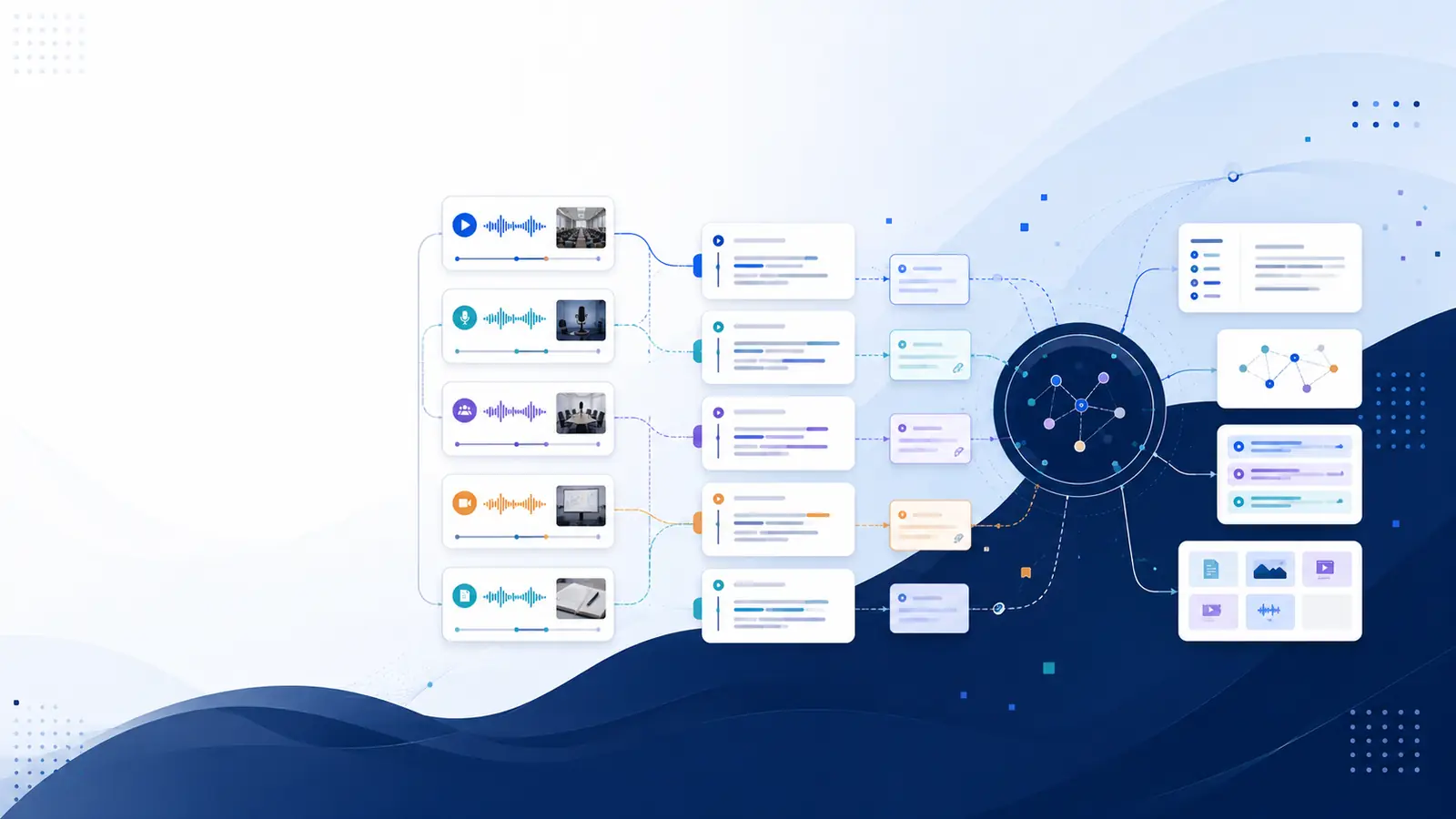
Navigating the wealth of information presented in online courses can be a significant challenge. From complex lectures to intricate discussions, absorbing every detail is often difficult in real-time. Fortunately, modern technology offers a powerful solution to truly master your course material: using AI tools to transcribe online courses. This approach revolutionizes how students and lifelong learners interact with educational content, transforming passive listening into active engagement.
This article will guide you through the leading AI-powered transcription tools available today, focusing on features that specifically enhance your online course experience. Whether you're aiming to improve note-taking, boost comprehension, or ensure accessibility, understanding these tools can unlock a new level of learning efficiency. Discover how automated transcription services can become your indispensable study aid AI, helping you convert spoken words into searchable, actionable text.
Why Transcribing Online Courses is a Game-Changer for Learners
The benefits of transcribing online courses extend far beyond simply having a text version of a lecture. It fundamentally alters your learning process, offering distinct advantages that can significantly improve your academic performance and retention.
- Enhanced Comprehension and Retention: When you listen to a lecture, your brain is simultaneously processing auditory information and trying to understand its meaning. Having a transcript allows you to review complex topics at your own pace. You can pause, reread, and highlight key concepts, solidifying your understanding without the pressure of keeping up with a live speaker. This deep engagement directly contributes to better memory retention.
- Improved Note-Taking Efficiency: Traditional note-taking during video lectures can be a fragmented process. You might miss crucial points while writing, or find your notes incomplete. With a full transcript, you can focus on listening and understanding during the lecture. Afterward, you can use the accurate text as a foundation, adding your insights, questions, and summaries. This makes your notes more comprehensive and organized. For practical advice on optimizing this, consider learning how to take notes from online courses without rewatching every video.
- Searchability and Quick Reference: Imagine needing to recall a specific point from a two-hour lecture. Without a transcript, you'd be scrubbing through the video, hoping to stumble upon it. With a text version, you can simply search for keywords or phrases, instantly locating the exact information you need. This is invaluable for research, exam preparation, and revisiting specific topics, making your learning efficiency tools truly powerful.
- Accessibility and Inclusivity: Transcripts are vital online learning accessibility tools. They provide an alternative format for learners who are deaf or hard of hearing, ensuring they have full access to course content. Furthermore, they benefit non-native speakers who might struggle with spoken accents or rapid delivery, allowing them to read along or review at their own speed.
- Content Repurposing: For those who like to create flashcards, summaries, or even their own study guides, a transcript is a goldmine. You can easily copy and paste relevant sections, extracting key information to create personalized learning materials. Some advanced tools even offer flashcard generation directly from transcripts, streamlining your study process.
- Overcoming Language Barriers: Many AI transcription services now offer translation capabilities. This means you can transcribe a course in one language and then translate it into your native tongue, breaking down significant language barriers in global education.
Embracing AI transcription for education moves you from a passive consumer of information to an active learner, giving you greater control over your educational journey and significantly boosting your potential for success.
Key Features to Look for in an AI Transcription Tool for Education
Not all AI transcription tools are created equal, especially when it comes to the specific demands of online learning. To truly enhance your online course notes and overall experience, you need to identify tools that offer a robust set of features. Here's what to prioritize:
- Accuracy: This is paramount. An inaccurate transcript can be more misleading than helpful. Look for tools that boast high accuracy rates, especially with technical jargon, multiple speakers, or varied audio quality. Some platforms employ a multi-provider cascade approach, automatically switching between different AI models to achieve the best possible accuracy for your specific audio.
- Timestamping: Every word in the transcript should be linked to its exact moment in the audio or video. This feature is critical for quick navigation, allowing you to jump directly to the relevant part of the lecture when reviewing your notes or clarifying a point.
- Speaker Diarization: In courses with discussions, interviews, or multiple instructors, knowing "who said what" is essential. Speaker diarization labels different speakers, making multi-speaker recordings much easier to follow and understand.
- Search Functionality: Beyond basic text search, look for tools with advanced capabilities like semantic search. This allows you to find content by describing it in plain English, rather than just searching for exact keywords. For instance, you could search for "the professor's explanation of quantum entanglement" instead of just "quantum entanglement," and the tool would intelligently locate relevant sections.
- AI Summaries: Automatic summaries can save you immense time. After a long lecture, an AI-generated summary provides a concise overview of the key points, helping you grasp the main ideas quickly and focus your study efforts.
- Export Options: You should be able to export your transcripts in various formats. Common options include plain text (TXT), SubRip (SRT) for subtitles, and WebVTT (VTT). This flexibility ensures you can integrate the transcripts into your preferred note-taking apps or learning management systems.
- Multi-Language Support & Translation: For international learners or courses with diverse content, the ability to transcribe in multiple languages and then translate those transcripts into your preferred language is a powerful feature.
- Integration and Input Flexibility: Can the tool transcribe video lectures directly from YouTube URLs? Can it handle various audio/video file formats (MP3, MP4, WAV, MOV)? Does it offer a Chrome extension for one-click transcription on popular video sites? The easier it is to get your course content into the transcriber, the more efficiently you can work.
- Knowledge Management Features: Beyond simple transcription, some platforms offer advanced features like flashcard generation from transcripts, a personal knowledge base where you can chat with all your transcripts (Ask My Library), or even tools to track knowledge decay. These turn a basic transcriber into a comprehensive digital learning tool.
- Privacy and Security: Especially with sensitive academic content, ensure the platform guarantees your content is stored securely and not used to train third-party AI models.
By carefully evaluating these features, you can select a course transcription software that not only converts audio to text for students but also actively supports and streamlines your entire learning workflow.
Top AI Tools for Transcribing Online Courses: A Detailed Review
The market for AI transcription services is growing rapidly, with several contenders vying for your attention. Each offers a slightly different set of features, pricing models, and strengths. Here's a look at some of the best AI for academic transcription, followed by a comparison table to help you make an informed choice.
Otter.ai
Otter.ai is a popular choice known for its real-time transcription capabilities and user-friendly interface. It's particularly useful for live lectures or meetings, as it can transcribe as the audio plays. Its free tier offers a decent amount of transcription minutes per month, making it accessible for casual use. It includes speaker identification and allows for easy editing and sharing of transcripts. For students, its ability to integrate with Zoom and other meeting platforms is a significant plus.
- Pros: Excellent for real-time transcription, generous free tier, good speaker identification, easy editing.
- Cons: Accuracy can vary with complex audio or accents, advanced features are behind a paywall.
Happy Scribe
Happy Scribe offers both AI and human transcription services, providing flexibility depending on your accuracy needs and budget. Their AI service is generally quite accurate and supports a wide range of languages. It's a solid option for transcribing pre-recorded video lectures and offers good editing tools. They also provide subtitle generation, which can be useful for creating accessible content or personal study aids.
- Pros: High AI accuracy, multi-language support, human transcription option, subtitle generation.
- Cons: No free tier beyond a trial, pricing can add up for large volumes.
Rev.com
Rev is highly regarded for its human transcription services, offering near-perfect accuracy. However, their AI transcription service (Rev AI) is also very competitive. While often more expensive than other AI-only options, Rev AI provides robust features, including speaker diarization and custom vocabulary, which can be crucial for specialized academic content. It's a professional-grade solution suitable for when accuracy is paramount.
- Pros: High accuracy (AI and human), excellent speaker diarization, custom vocabulary, robust API.
- Cons: Generally more expensive, less focus on integrated learning features.
Trint
Trint combines a powerful AI transcriber with an intuitive editor, allowing you to quickly clean up and verify your transcripts. It's designed for professionals but is equally useful for academic contexts, offering features like speaker identification, timestamping, and the ability to highlight and comment on text. Trint aims to make transcripts fully interactive and editable, which is a great asset for detailed study.
- Pros: Powerful editor, interactive transcripts, good for collaboration, strong accuracy.
- Cons: Higher price point, designed more for media professionals.
Libraryminds
For learners seeking a comprehensive AI transcription platform specifically designed to enhance education, Libraryminds offers a unique suite of tools. This platform goes beyond basic audio to text for students, incorporating advanced features that transform raw transcripts into a structured, searchable knowledge base. Libraryminds utilizes a multi-provider AI cascade, ensuring high accuracy across various audio qualities and languages. It excels in semantic search, allowing you to find any moment in your lectures by describing it in plain English. Crucially, it offers innovative study aids such as automatic flashcard generation from transcripts, a "Knowledge Decay tracking" system to help you revisit content, and "Ask My Library" which lets you chat with all your transcripts as a personal knowledge base. Its ability to transcribe YouTube videos directly from a URL or import various file types makes it highly versatile for any online course. This makes it an incredibly powerful study aid AI.
- Pros: High accuracy via multi-provider AI, semantic search, timestamping, speaker diarization, AI summaries, flashcard generation, Ask My Library (RAG), Knowledge Decay tracking, multi-language support, YouTube/podcast transcription, privacy-focused.
- Cons: Comprehensive feature set might have a learning curve for new users, most advanced features are in paid plans (though a free tier is available).
| Feature | Otter.ai | Happy Scribe | Rev.com (AI) | Trint | Libraryminds |
|---|---|---|---|---|---|
| Primary Use | Live/Meeting Transcriptions | File Transcription, Subtitles | High-Accuracy Professional | Interactive Transcripts | Comprehensive Learning Platform |
| Accuracy | Good | Very Good | Excellent | Very Good | Excellent (Multi-provider AI) |
| Timestamping | Yes | Yes | Yes | Yes | Yes |
| Speaker Diarization | Yes | Yes | Yes | Yes | Yes |
| Semantic Search | No | No | No | No | Yes |
| AI Summaries | Yes | No | No | No | Yes |
| Flashcard Generation | No | No | No | No | Yes |
| Ask My Library (RAG) | No | No | No | No | Yes |
| YouTube URL Trans. | Limited | Yes | Yes (API) | Yes | Yes |
| Free Tier | Generous | Trial Only | Trial Only | Trial Only | Limited Minutes/Month |
Enhancing Your Learning: How to Utilize Transcriptions Effectively
Simply generating a transcript is only the first step. The real power lies in how you integrate these text versions of your online courses into your study routine. Here's how to maximize the benefits of your transcribed content:
- Active Reading and Annotation: Treat your transcript like a textbook. As you read through it, highlight key terms, underline important concepts, and add your own margin notes. This active engagement helps reinforce the material and makes it easier to recall later. Many digital learning tools allow for direct annotation within the transcript.
- Create Summaries and Outlines: Use the transcript to quickly generate your own summaries of lectures or specific sections. Outline the main arguments, supporting details, and conclusions. This process forces you to synthesize information, a crucial step for deep learning. If your tool offers AI summaries, use them as a starting point, then refine them with your own critical insights.
- Flashcard Generation for Spaced Repetition: Identify key terms, definitions, and questions within your transcript. Use these to create flashcards. Some advanced course transcription software, like Libraryminds, can even automate this process, generating flashcards directly from your text. Spaced repetition using these custom flashcards is an incredibly effective way to move information from short-term to long-term memory.
- Cross-Referencing with Other Materials: Use your transcript as a central hub. Link it to external readings, articles, or even other course materials. When reviewing a topic, you can quickly jump between the lecture's explanation and complementary resources, building a more holistic understanding.
- Prepare for Exams: Before an exam, use the search functionality within your transcripts to quickly find all instances where a particular topic was discussed. Review these sections, paying attention to the nuances and examples provided in the lecture. This targeted review is far more efficient than rewatching entire videos.
- Identify Knowledge Gaps: As you review your transcripts, pay attention to areas where you still feel uncertain. These are your knowledge gaps. You can then use your digital learning tools to re-listen to those specific sections of the lecture or seek out additional resources.
- Practice Active Recall: After reading a section of the transcript, close it and try to recall the main points. Then, check your recall against the transcript. This active recall technique is far more effective than passive re-reading.
By implementing these strategies, your transcribed online courses become dynamic study guides, transforming your learning experience and significantly boosting your retention and comprehension. For more strategies on efficient note-taking, explore articles like how to transcribe YouTube videos automatically and how to transcribe interviews for research, as these techniques often overlap with academic transcription.
Accessibility and Inclusivity: Making Online Courses Available to Everyone
Beyond individual study benefits, AI transcription plays a pivotal role in making online education more accessible and inclusive. Providing transcripts for online courses removes significant barriers for a diverse range of learners, fostering a more equitable learning environment.
- Supporting Deaf and Hard of Hearing Learners: For individuals who are deaf or hard of hearing, a transcript is not just a convenience; it's a necessity. It provides full access to spoken content that would otherwise be inaccessible, ensuring they receive the same information as their hearing peers. This is a fundamental aspect of online learning accessibility tools.
- Assisting Learners with Auditory Processing Disorders: Some learners struggle with processing spoken language in real-time, even with normal hearing. Transcripts allow them to read the information at their own pace, reducing cognitive load and improving comprehension.
- Benefiting Non-Native English Speakers: Online courses often feature instructors with various accents and speaking speeds. Non-native English speakers can find it challenging to keep up with spoken lectures. Transcripts allow them to read along, look up unfamiliar vocabulary, and review complex sentences, significantly aiding their understanding and language acquisition. Many tools that transcribe video lectures also offer translation features, further breaking down language barriers.
- Enhancing Learning for Different Learning Styles: While some learners are auditory, others are visual or kinesthetic. Transcripts cater to visual learners by providing a text-based format. The ability to highlight, annotate, and manipulate the text also appeals to kinesthetic learners who learn by doing.
- Providing Flexibility in Learning Environments: Learners may be in environments where listening to audio is difficult or impossible (e.g., public transport, quiet libraries). A transcript allows them to engage with the course content discreetly, ensuring learning can happen anywhere, anytime.
- Addressing Technical Issues: Poor audio quality, buffering videos, or internet connectivity issues can disrupt the learning experience. While these can be frustrating, having a transcript ensures that the core content remains accessible even if the audio or video stream is compromised.
By integrating robust course transcription software, educational institutions and individual instructors can ensure their content reaches the widest possible audience, aligning with principles of universal design for learning and creating a truly inclusive online classroom.
Tips for Maximizing Accuracy and Efficiency with AI Transcribers
While AI transcription technology has made incredible strides, the quality of your output still depends on the input. By following a few best practices, you can significantly improve the accuracy of your transcripts and streamline your workflow.
- Ensure Clear Audio Quality: This is the single most important factor.
- Minimize Background Noise: Record lectures or discussions in a quiet environment. Avoid noisy cafes, public spaces, or areas with excessive ambient sound.
- Use a Good Microphone: If you're recording your own notes or discussions, invest in a decent microphone. Even a basic external mic can make a huge difference compared to a laptop's built-in microphone.
- Speak Clearly and At a Moderate Pace: If you have control over the audio source (e.g., recording your own study group), encourage speakers to articulate words clearly and avoid speaking too quickly or over each other.
- Provide Contextual Information (if available): Some advanced AI transcription for education tools allow you to upload a list of custom vocabulary or specific names. If your course uses specialized jargon, acronyms, or proper nouns, providing this context can dramatically improve accuracy.
- Choose the Right Tool for the Job: As discussed in the "Top AI Tools" section, different transcribers excel in different areas. For multi-speaker interviews, prioritize tools with strong speaker diarization. For highly technical content, look for those that allow custom vocabulary. For comprehensive learning, consider platforms like Libraryminds that offer integrated study features.
- Proofread and Edit: Even the best AI isn't perfect. Always plan to spend some time proofreading and editing your transcripts. Focus on correcting misheard words, punctuation errors, and speaker labels. The goal isn't to re-write the entire lecture, but to ensure accuracy for your study purposes.
- Utilize Editing Features: Most course transcription software comes with built-in editors. Learn to use shortcuts for playback speed control, quick corrections, and adding timestamps or notes. This will make your editing process much faster.
- Break Down Long Recordings: If you have a very long lecture, consider breaking it into smaller, more manageable segments if your tool allows. This can sometimes improve processing speed and make editing less daunting.
- Leverage Integrations: If your AI transcriber integrates with other digital learning tools, take advantage of it. For example, exporting transcripts directly into your note-taking app or flashcard system can save significant time.
By proactively managing your audio input and intelligently using the features of your chosen automated transcription services, you can achieve highly accurate and incredibly useful transcripts for all your online courses.
Free vs. Paid: Choosing the Right Transcription Solution for Your Budget
When exploring AI transcription tools, one of the most common questions is whether to opt for a free service or invest in a paid subscription. The "best" choice depends heavily on your usage frequency, accuracy requirements, and budget constraints.
Free AI Transcription Tools
Many AI transcribers offer a free tier or a limited free trial. These are excellent for:
- Occasional Use: If you only need to transcribe a short lecture or a few minutes of audio each month, a free tier can be perfectly adequate.
- Testing the Waters: Free trials allow you to test a tool's accuracy and features before committing financially.
- Basic Needs: For simple audio to text for students without complex features like speaker diarization or semantic search, free options can suffice.
However, free tiers often come with limitations:
- Limited Minutes: You'll typically get a restricted number of transcription minutes per month (e.g., 10-30 minutes).
- Reduced Accuracy: Some free models might not be as sophisticated as their paid counterparts, leading to lower accuracy.
- Fewer Features: Advanced functionalities like multi-language translation, specific export formats, or integrated study aids are usually reserved for paid plans.
- Data Privacy Concerns: While many reputable services are privacy-conscious, always review the terms of service for free tools, especially regarding how your data is handled.
Paid AI Transcription Services
Paid subscriptions, while an investment, offer significant advantages for serious learners and those who frequently transcribe online courses:
- Higher Accuracy: Paid services often leverage more advanced AI models or a multi-provider cascade (like Libraryminds), resulting in significantly better accuracy, even with challenging audio.
- Generous Transcription Minutes: You'll receive a much larger allocation of transcription minutes, making them suitable for transcribing multiple full-length courses.
- Advanced Features: Access to critical features like semantic search, AI summaries, flashcard generation, robust speaker diarization, multiple language support, and comprehensive input/output options.
- Dedicated Support: Paid users typically receive better customer support.
- Enhanced Privacy and Security: Reputable paid services usually offer stronger guarantees about data privacy, ensuring your academic content is secure and not used for AI training without your explicit consent.
- Integrated Learning Ecosystem: Platforms like Libraryminds transform transcription into a holistic learning experience, integrating knowledge management, revision tools, and content discovery.
For example, Libraryminds pricing plans offer a free tier with 10 minutes/month for basic transcription. Their paid plans (Plus, Pro, Business) significantly expand transcription minutes and unlock features like translation, Ask My Library, Knowledge Decay tracking, and more advanced AI models, catering to different levels of academic intensity and usage.
Ultimately, if you're a student regularly engaging with online courses and seeking to truly enhance your learning efficiency, the investment in a paid, feature-rich course transcription software is likely to yield substantial returns in saved time and improved comprehension. If your needs are minimal, a free tier can serve as a valuable starting point.
Future of Learning: AI Transcription and Beyond
The integration of AI transcription into education is not just a passing trend; it's a foundational shift in how we interact with information. As AI technology continues to evolve, the capabilities of speech-to-text for lectures and other educational content will only become more sophisticated, paving the way for even more profound transformations in learning.
- Real-time, Multilingual Translation: Imagine attending an online course taught in a foreign language and seeing real-time, accurate subtitles in your native tongue. While basic translation exists, the future holds seamless, highly accurate, and context-aware real-time translation, breaking down all language barriers in global education.
- Personalized Learning Paths Driven by Transcripts: AI could analyze your interaction with transcripts – what you highlight, what you search for, what you struggle with – to recommend personalized learning paths, supplementary materials, or even generate custom quizzes tailored to your specific needs. Tools that track knowledge decay, like those offered by Libraryminds, are already a step in this direction, helping you focus on content you haven't revisited recently.
- Interactive AI Tutors from Your Course Material: Building on "Ask My Library" functionalities, future AI tutors could become deeply familiar with your specific course content by analyzing all your transcribed lectures and readings. You could ask complex questions, debate concepts, and receive explanations directly from the "voice" of your course material, creating a truly dynamic learning companion.
- Enhanced Content Creation for Educators: AI transcription will empower educators to create more accessible and engaging content. Auto-generated captions, summaries, and searchable repositories of their lectures will save time and improve the quality of their offerings.
- Integration with Metaverse/VR Learning Environments: As virtual and augmented reality become more prevalent in education, AI transcription will be crucial for capturing and analyzing spoken interactions within these immersive environments, making virtual discussions as reviewable and searchable as traditional lectures.
- Adaptive Assessments: AI could generate adaptive assessments based on the nuances captured in transcripts, testing not just recall but also comprehension and application of complex ideas discussed in lectures.
- Ethical AI in Education: As these technologies advance, there will be an increased focus on ethical considerations, including data privacy, bias in AI models, and ensuring equitable access to these powerful tools. Platforms committed to privacy-first approaches, where your content is never used to train third-party AI, will be crucial.
AI transcription is rapidly evolving from a simple utility into a sophisticated ecosystem of digital learning tools. For students and lifelong learners, embracing these innovations means unlocking unprecedented levels of understanding, efficiency, and personalization in their educational journeys.
Further Reading & Sources
- Transcribing in the digital age: qualitative research practice utilizing ... — An academic paper exploring the challenges and benefits of intelligent speech recognition for transcribing interviews and qualitative data.
- COCME - Best Practices Guide to Teaching and Learning | Pediatrics — A guide from the American Academy of Pediatrics offering best practices for effective teaching and learning strategies.
- Effective Practice Guides | HeadStart.gov — Resources from HeadStart.gov detailing teaching practices that support children's development and learning outcomes.
Beyond simply converting audio to text, transcribing online courses unlocks significant advantages for learners. It transforms passive listening into an active learning experience, allowing for easier review, note-taking, and retention. Transcripts make content accessible for diverse learning styles, enable quick searching for specific information, and facilitate the creation of personalized study materials like flashcards or summaries, ultimately deepening comprehension and recall.
Modern AI transcription tools elevate this process further by integrating advanced knowledge management capabilities. Platforms like Libraryminds don't just provide raw text; they convert recordings into structured, searchable knowledge bases. Features such as semantic search allow users to find any moment in a lecture by describing it in plain English, while AI-generated summaries offer quick overviews. The ability to generate flashcards directly from transcripts, chat with your entire library of content (Ask My Library), and track knowledge decay ensures a truly personalized and effective learning journey.
These integrated systems empower students, researchers, and professionals to not only capture information but to actively engage with it, synthesize ideas across multiple sources, and reinforce learning through spaced repetition. By making every word searchable and every concept retrievable, AI transcription and knowledge management tools are redefining how we interact with educational content, turning vast amounts of information into actionable insights.