Research
Building a Digital Audio Archive for Journalists: A Comprehensive Guide
Building a robust digital audio archive for journalists is an operational necessity. This guide helps news organizations ensure long-term accessibility, searchability, and integrity of their audio content, from interviews to podcasts.
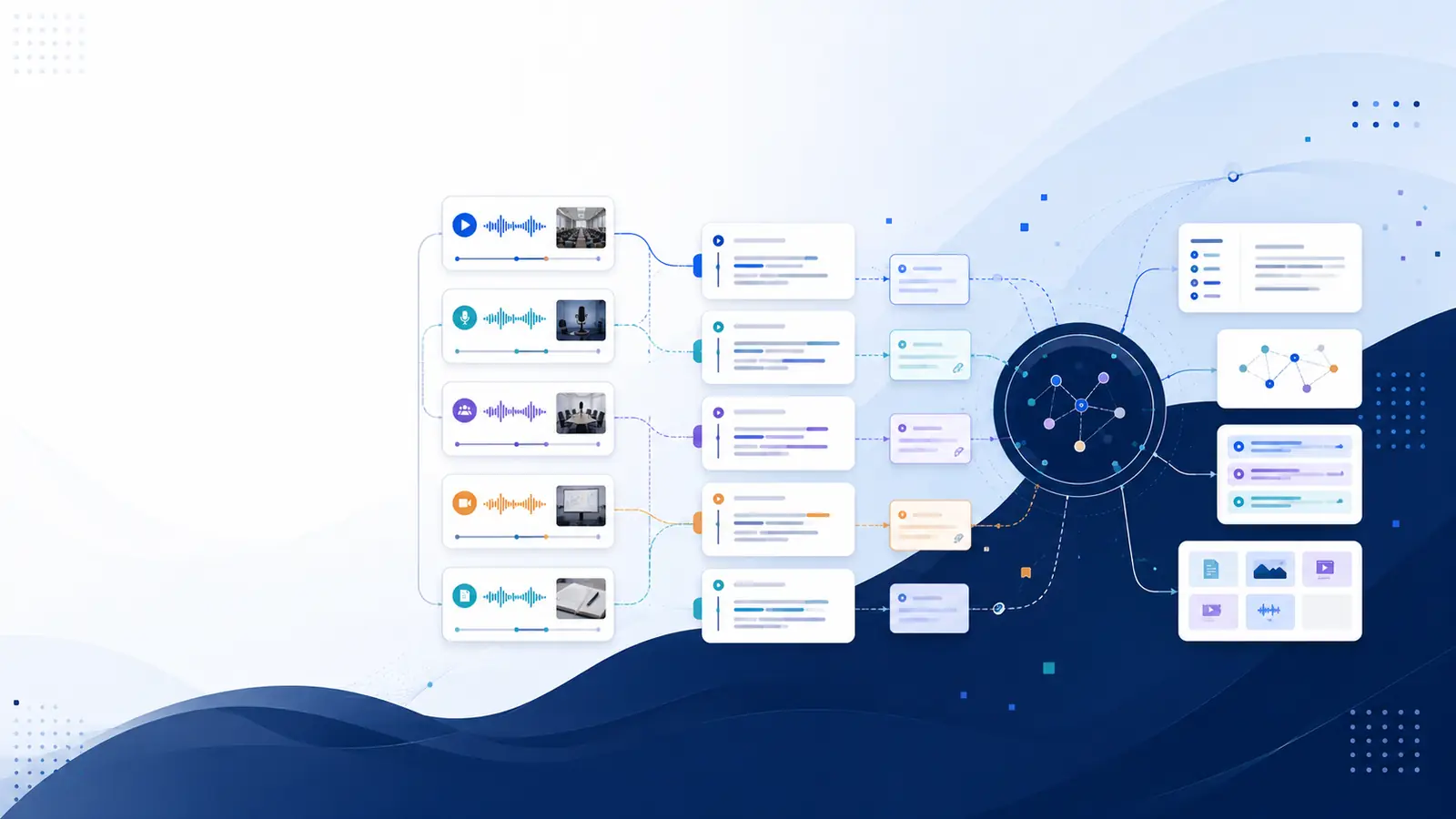
Building a robust digital audio archive journalists can rely on is no longer a luxury; it's an operational necessity. In an era where audio content, from interviews and press conferences to field recordings and podcasts, forms a critical part of the journalistic record, ensuring its long-term accessibility, searchability, and integrity is paramount. This comprehensive guide provides news organizations and independent journalists with a practical, step-by-step approach to establishing and managing an efficient digital audio archive, ensuring valuable content remains a dynamic resource rather than a forgotten file.
The Imperative of Digital Audio Archiving for Modern Journalism
Journalism thrives on information, and a significant portion of that information is captured in audio format. Interviews, statements, eyewitness accounts, and ambient sounds are primary source material, often conveying nuances and emotional context that text alone cannot. For decades, these recordings were stored on tapes, often deteriorating or becoming inaccessible over time. Today, digital audio offers immense advantages in quality, storage, and distribution, but it also presents new challenges for long-term preservation.
Neglecting proper journalism audio preservation carries substantial risks. Crucial evidence for investigative pieces can be lost, historical context for ongoing stories can vanish, and valuable assets for future documentaries or retrospectives become unusable. An effective digital audio archive safeguards these assets, transforming them into a living library that can be revisited, re-purposed, and re-examined as news cycles evolve or new facts emerge.
A well-structured archive supports investigative journalism by allowing quick retrieval of past statements or interviews, providing continuity and historical depth to reporting. It facilitates content re-use, enabling journalists to create new narratives from existing material, saving time and resources. Furthermore, it contributes to the overall institutional memory of a news organization, preserving its legacy and providing a rich educational resource for future generations of journalists.
The sheer volume of audio content generated daily in newsrooms demands a systematic approach. Without it, individual recordings become isolated data points, difficult to find and impossible to leverage effectively. Implementing strong audio archiving best practices ensures that every spoken word, every sound bite, and every interview contributes to a collective knowledge base that strengthens journalistic output.
Key Components of a Robust Digital Audio Archive System
Developing a reliable digital audio archive involves more than just dumping files into a folder. It requires a strategic combination of technology, processes, and policies. Think of it as building a library, not just a storage shed. Here are the essential components:
- Ingest System: This is the entry point for all audio content. It defines how new recordings are acquired, named, and initially processed. It should support various input sources (field recorders, phone calls, web streams, studio recordings).
- Storage Infrastructure: This encompasses the physical or cloud-based locations where your audio files reside. It must be secure, scalable, redundant, and accessible.
- Media Asset Management Audio (MAM) / Digital Asset Management for News (DAM) System: This is the central hub for managing your audio files. It's a software solution that organizes, indexes, and tracks your assets. A robust MAM/DAM allows for detailed metadata entry, version control, access permissions, and powerful search capabilities.
- Metadata Management Tools: Crucial for making audio discoverable. These tools facilitate the creation, editing, and storage of descriptive information about each audio file.
- Search and Retrieval Interface: A user-friendly interface that allows journalists to quickly find specific audio clips based on various criteria, including keywords, dates, speakers, and topics.
- Preservation and Backup Mechanisms: Strategies and tools to ensure the long-term integrity and availability of your audio, protecting against data loss, corruption, or format obsolescence.
- Access Control and Security: Systems to manage who can access, modify, or delete audio files, protecting sensitive information and intellectual property.
- Workflow and Policy Documentation: Clear guidelines and procedures for every stage of the archiving process, ensuring consistency and efficiency.
These components work in concert to create a seamless environment for managing your valuable audio content. Investing in a comprehensive system from the outset will save significant time and prevent future headaches.
Choosing the Right File Formats and Storage Solutions
The choices you make regarding file formats and storage directly impact the longevity and usability of your archive. It's a balance between quality, file size, and accessibility.
Audio File Formats for Archiving
When considering audio file formats for archiving, prioritize lossless formats for preservation masters and consider lossy formats for access copies.
| Format | Type | Pros | Cons | Archiving Recommendation |
|---|---|---|---|---|
| WAV (Waveform Audio File Format) | Uncompressed Lossless | Highest quality, no data loss, widely compatible, industry standard for masters. | Very large file sizes, can be unwieldy for everyday access. | Primary Archival Master. Ideal for original, unedited recordings. |
| FLAC (Free Lossless Audio Codec) | Compressed Lossless | Excellent quality (identical to WAV after decompression), smaller file sizes than WAV (typically 40-50% smaller), open standard. | Requires specific software to play (though widely supported), still larger than lossy formats. | Strong Archival Master Alternative. Good balance of quality and storage efficiency. |
| AIFF (Audio Interchange File Format) | Uncompressed Lossless | Similar to WAV in quality and compatibility, common in Apple ecosystems. | Large file sizes. | Acceptable Archival Master. Often interchangeable with WAV. |
| MP3 (MPEG-1 Audio Layer III) | Lossy | Very small file sizes, ubiquitous compatibility, excellent for streaming and sharing. | Data is permanently discarded during compression, quality degradation (especially at lower bitrates). | Access Copy Only. Never use as the sole archival format. |
| AAC (Advanced Audio Coding) | Lossy | Better quality than MP3 at similar bitrates, good for mobile and streaming. | Lossy compression, not suitable for preservation masters. | Access Copy Only. |
For long-term audio storage, always retain a lossless master (WAV or FLAC). You can then generate lossy access copies (MP3, AAC) for daily use and distribution. This tiered approach ensures preservation of the original quality while providing practical access.
Sound Recording Storage Solutions
Your storage strategy should prioritize security, redundancy, and scalability:
- Local Storage (On-Premise):
- Pros: Full control over data, potentially faster access for local networks.
- Cons: Requires significant upfront investment (hardware, IT staff), vulnerable to local disasters (fire, flood, theft), limited scalability.
- Recommendation: Use for active projects and as one component of a redundant backup strategy. Not suitable as the sole archival solution.
- Cloud Storage:
- Pros: Highly scalable, robust redundancy built-in, accessible from anywhere, lower upfront costs, managed by experts.
- Cons: Dependent on internet connectivity, potential concerns about data privacy and vendor lock-in, recurring costs.
- Recommendation: Excellent for primary archival storage, especially when combined with a local copy. Look for providers specializing in long-term archive storage (e.g., AWS Glacier, Google Cloud Archive).
- Hybrid Storage:
- Pros: Combines the benefits of both, offering local control for active files and cloud scalability for long-term archives.
- Cons: More complex to manage, requires careful synchronization.
- Recommendation: Often the most balanced and resilient approach for professional news organizations.
Adhering to the "3-2-1 backup rule" is a fundamental digital preservation strategy: keep at least three copies of your data, on two different types of media, with one copy off-site. This significantly reduces the risk of catastrophic data loss.
Implementing Effective Metadata Strategies for Searchability
Without rich, accurate metadata, your digital audio archive is merely a collection of unidentifiable files. Metadata is the key to unlocking the true value of your content, making it a searchable audio database. It provides context, identifies content, and enables efficient retrieval.
Types of Metadata for Audio Archives
- Descriptive Metadata: Answers "what is this?"
- Title: A concise, unique name for the recording.
- Description/Abstract: A summary of the content, key themes, and events.
- Keywords/Tags: Specific terms that describe the content, people, places, and topics.
- Date of Recording: When the audio was captured.
- Location: Where the audio was recorded.
- Speakers/Interviewees: Names and roles of all individuals heard.
- Interviewer/Producer: The journalist or team responsible for the recording.
- Rights/Copyright Holder: Who owns the content and usage rights.
- Language: The primary language spoken.
- Associated Project/Story: Link to the journalistic piece it belongs to.
- Technical Metadata: Describes the technical characteristics of the file.
- File Format: WAV, FLAC, MP3, etc.
- Bit Rate: Data transfer rate.
- Sampling Rate: Number of samples per second.
- Duration: Length of the audio.
- File Size: Storage footprint.
- Encoding Software: Program used to create or modify the file.
- Administrative Metadata: Manages the archive itself.
- Creation Date (of file): When the digital file was created.
- Last Modified Date: When the file or its metadata was last changed.
- Access Restrictions: Public, internal, embargoed, sensitive.
- Preservation Actions: Any migrations, checksums, or integrity checks performed.
- Unique Identifier: A persistent ID for the asset.
Consistency is crucial. Develop a controlled vocabulary or a set of standardized terms for your keywords and tags. This prevents fragmentation and ensures that "climate change" isn't tagged as "global warming" in one file and "environmental crisis" in another.
Manual metadata entry can be time-consuming, especially for large volumes of audio. This is where AI-powered tools can significantly enhance your metadata for audio archives. Platforms that provide automatic transcription and semantic analysis can generate a wealth of descriptive metadata from the audio content itself. For instance, a platform like Libraryminds automatically transcribes your audio, providing timestamped text that can be searched for any keyword or phrase. This goes beyond simple tags, allowing you to find specific moments within hours of recordings by describing them in plain English. This powerful capability transforms your raw audio into structured, searchable knowledge, making your archive exponentially more valuable.
For more on leveraging advanced search capabilities, read our guide on Unlock Your Data: Natural Language Search for All Your Transcripts.
Workflow Design: Ingesting, Organizing, and Accessing Audio
An efficient workflow is the backbone of any successful digital audio archive. It defines the journey of an audio file from creation to preservation and retrieval, ensuring smooth operation and consistent application of best practices.
1. Ingestion
- Capture: Record audio in the highest possible quality. If possible, use lossless formats directly.
- Transfer: Move recordings from capture devices to a staging area on your network or cloud storage. Ensure secure and reliable transfer protocols.
- Initial Processing: Apply standard naming conventions immediately. Generate a unique identifier for each file.
2. Quality Control & Transcription
- Review: Briefly check audio quality to ensure it's usable and free of critical errors.
- Transcription: Transcribe the audio. This is a vital step for searchability. While manual transcription is accurate, it's resource-intensive. Automated transcription services (like those offered by Libraryminds, accessible via our transcription features page) can generate initial transcripts quickly, which can then be reviewed and corrected for accuracy. Timestamped transcripts are particularly valuable as they link every word to its precise moment in the audio.
3. Metadata Enrichment
- Basic Entry: Enter core descriptive metadata (title, date, speakers, associated story).
- Detailed Tagging: Add keywords, topics, and summaries based on the content and transcript. Leverage AI-generated summaries where available to expedite this process.
- Technical Metadata Capture: Automatically or manually record file format, duration, and other technical details.
4. Audio Content Organization & Storage
- Structure: Organize files logically using a consistent folder structure (e.g., by date, project, reporter, topic).
- MAM/DAM Integration: Ingest the files and their metadata into your chosen Media Asset Management (MAM) or Digital Asset Management (DAM) system. This system manages versions, access rights, and provides the primary search interface.
- Redundant Storage: Move files to primary archival storage, ensuring compliance with your 3-2-1 backup strategy.
5. Access & Retrieval
- Search Interface: Provide journalists with an intuitive interface to search the archive. This should leverage the rich metadata, including full-text search of transcripts.
- Preview & Download: Allow users to preview audio clips and download access copies (MP3s) or full-quality masters (WAV/FLAC) based on their permissions.
- Version Control: Ensure that if audio is edited or re-purposed, the original archival master remains untouched, and new versions are clearly linked.
Automating parts of this workflow, especially transcription and initial metadata tagging, can significantly improve efficiency and consistency. This makes the entire process of newsroom audio management far more streamlined and effective.
Ensuring Long-Term Preservation and Data Security
A digital audio archive is only as good as its ability to withstand the test of time and threats. Long-term preservation and robust data security are non-negotiable components.
Digital Preservation Strategies
- Format Migration: Technology evolves. File formats that are standard today may become obsolete tomorrow. Periodically review your archival formats and migrate them to newer, widely supported formats when necessary. This isn't about changing the content, but ensuring the container remains readable.
- Integrity Checks (Checksums): Regularly verify that your audio files haven't been corrupted during storage or transfer. Checksums generate a unique digital fingerprint for each file. If the fingerprint changes, the file has been altered.
- Geographic Dispersion: Store copies of your archive in physically separate locations. This protects against regional disasters like earthquakes, floods, or major power outages.
- Audit Trails: Maintain records of all actions performed on archival files, including who accessed them, when, and what changes were made (if any, on access copies).
- Environmental Controls (for local storage): If you use on-premise servers, ensure they are in a climate-controlled environment, protected from dust, humidity, and extreme temperatures.
Data Security
- Access Control: Implement strict role-based access control (RBAC). Not everyone needs full access to all archived audio. Define roles (e.g., administrator, editor, reporter) and assign appropriate permissions.
- Encryption: Encrypt audio data both at rest (when stored) and in transit (when being moved or accessed over a network). This protects against unauthorized interception.
- Network Security: Protect your archive servers and network infrastructure with firewalls, intrusion detection systems, and regular security audits.
- Vendor Security: If using cloud storage or third-party MAM/DAM systems, thoroughly vet the vendor's security practices, certifications, and data privacy policies. Understand where your data is stored and who has access.
- Employee Training: Educate all staff involved in the archiving process about data security best practices, including strong passwords, phishing awareness, and handling sensitive information.
- Regular Backups: Beyond the 3-2-1 rule, regularly test your backup recovery process. A backup is only useful if you can successfully restore data from it.
By proactively implementing these measures, you can create a long-term audio storage solution that is both resilient and secure, safeguarding your journalistic assets for decades to come.
Budgeting and Resource Allocation for Archive Development
Establishing and maintaining a comprehensive digital audio archive requires a commitment of financial and human resources. It's an investment, not an expense, but careful planning is essential to ensure sustainability.
Key Budgetary Considerations
- Hardware: For on-premise solutions, this includes servers, storage arrays (NAS/SAN), network equipment, and backup drives.
- Software: Licensing costs for MAM/DAM systems, transcription services, audio editing software, and potentially specialized preservation tools. Some platforms, like Libraryminds, offer tiered pricing plans (you can View Libraryminds pricing plans) that scale with your usage, which can be budget-friendly for smaller organizations or independent journalists.
- Cloud Services: Recurring costs for cloud storage (e.g., per GB/month), data transfer fees, and cloud-based processing services.
- Personnel: Costs for dedicated archive staff, IT support, or training for existing journalists to manage the archive.
- Maintenance & Upgrades: Ongoing costs for software updates, hardware replacement cycles, and subscription renewals.
- Contingency: Allocate a buffer for unexpected issues, data recovery efforts, or unforeseen technological changes.
Resource Allocation
- Dedicated Staff: For larger news organizations, a dedicated archivist or a team responsible for managing digital assets is ideal. They possess the expertise in preservation standards, metadata, and system administration.
- Cross-Functional Team: For smaller organizations, integrate archive responsibilities into existing roles. Journalists can be trained on metadata entry, IT staff on storage management, and editors on quality control.
- Training: Invest in training all relevant staff on the archive system, workflow, and best practices. A system is only as good as its users' understanding.
- Phased Implementation: You don't have to build the perfect archive overnight. Start with core functionalities (ingest, basic metadata, secure storage) and gradually expand capabilities (advanced search, AI integration, sophisticated preservation tools). This allows for learning and adaptation, and helps manage initial costs.
When evaluating costs, consider the long-term return on investment. The ability to quickly retrieve critical audio, prevent content loss, and re-purpose valuable assets can save significant time and resources in the long run, outweighing the initial investment.
Legal and Ethical Considerations in Audio Archiving
Archiving journalistic audio isn't just a technical challenge; it also involves navigating a complex landscape of legal and ethical responsibilities. Ignoring these can lead to serious repercussions, including lawsuits, reputational damage, and loss of public trust.
Legal Considerations
- Copyright and Intellectual Property:
- Ownership: Clearly establish who owns the copyright to the audio recordings (e.g., the news organization, the independent journalist, or a third party).
- Licensing: If using third-party audio, ensure you have the necessary licenses for storage, use, and re-use.
- Fair Use: Understand the principles of fair use (or fair dealing in some jurisdictions) for using copyrighted material in reporting, but always aim for clear rights where possible for archiving and re-purposing.
- Consent for Recording:
- One-Party vs. Two-Party Consent: Be aware of the laws in your jurisdiction and the jurisdiction where the recording took place regarding consent for recording conversations. Some states/countries require only one party's consent, while others require all parties to consent.
- Explicit Consent: For interviews intended for publication or archive, always seek explicit consent from interviewees, ideally in writing or verbally recorded at the start of the interview. This should include permission for archiving and potential re-use.
- Defamation and Libel: Archived audio containing potentially defamatory statements could pose ongoing legal risks. Ensure your editorial review processes apply to archived content as well.
- Data Retention Laws: Certain jurisdictions may have laws dictating how long specific types of data must be retained or, conversely, how long they can be retained (e.g., privacy regulations).
- Privacy Regulations: Laws like GDPR (General Data Protection Regulation) or CCPA (California Consumer Privacy Act) can impact how personal data (including voices) is stored and managed. Understand your obligations regarding data subject rights (e.g., right to be forgotten).
Ethical Considerations
- Accuracy and Integrity: Maintain the original, unedited integrity of primary source audio. If editing is done for publication, the archival master should remain pristine, with edited versions clearly marked.
- Context and Misinformation: Ensure that archived audio, when retrieved and re-used, is always presented with appropriate context to prevent misinterpretation or the spread of misinformation.
- Confidentiality and Anonymity: If recordings contain sensitive information or involve anonymous sources, implement strict access controls and policies to protect their identity and the information. Consider redaction tools if portions of audio need to be masked for public access.
- Embargoes: Respect embargo agreements. Archived audio should not be made publicly accessible before agreed-upon release dates.
- Representation: Be mindful of how archived audio portrays individuals or communities, particularly when re-using older content that might reflect outdated perspectives.
- Long-Term Access vs. Harm: Balance the journalistic imperative for open access with the potential for harm or invasion of privacy, especially for individuals not in the public eye.
It's advisable to consult with legal counsel to establish clear policies regarding consent, copyright, data privacy, and retention for your specific journalistic context. These policies should be documented and integrated into your archive workflow.
Future-Proofing Your Digital Audio Archive
The digital landscape is constantly evolving. To ensure your digital audio archive remains relevant and accessible for decades, you must adopt a proactive approach to future-proofing.
Embrace Open Standards
Whenever possible, choose file formats, metadata schemas, and software solutions that adhere to open standards. Proprietary formats or systems can lead to vendor lock-in and make future migrations difficult and costly. Open standards offer greater interoperability and longevity.
Monitor Technological Advancements
Stay informed about new developments in audio technology, storage solutions, and digital preservation. Regularly assess if new tools or techniques could enhance your archive's efficiency, security, or accessibility. For instance, advancements in AI for transcription and search are rapidly transforming how journalists interact with audio content.
Regular Format Migration
As discussed, planned format migration is a cornerstone of long-term preservation. Don't wait until a format is obsolete; proactively convert your archival masters to newer, stable formats on a defined schedule (e.g., every 5-10 years). This is a critical digital preservation strategy.
Leverage Artificial Intelligence
AI is revolutionizing how we interact with audio. Tools that offer automatic transcription, speaker diarization, and semantic search capabilities can significantly enhance the value of your archive. Imagine being able to ask your archive a question and have it pull up every relevant audio clip, not just based on keywords, but on the meaning and context of the conversation. This level of insight makes your entire archive a dynamic and responsive research tool. For a deeper dive into the importance of granular access to audio, consider how Timestamped Transcription: Why It Matters for Audio & Video can transform your workflow.
Furthermore, AI can help with automated metadata tagging, identifying key topics, entities, and even emotional tones within recordings, which might be impossible to tag manually for a large archive. This moves beyond simply finding files to extracting genuine knowledge from your audio assets, turning raw recordings into structured data that is easy to analyze and synthesize. This capability is becoming essential for creating Searchable Meeting Transcripts: How Teams Find Answers Faster in 2026, and applies equally to journalistic audio.
Scalability Planning
Anticipate growth. Your archive will continuously expand. Ensure your chosen storage and MAM/DAM solutions can scale efficiently without requiring a complete overhaul every few years. Cloud-based solutions inherently offer strong scalability.
Documentation and Knowledge Transfer
Thoroughly document your archive's architecture, workflows, policies, and any unique configurations. This ensures that institutional knowledge is not lost when staff members leave, allowing for continuity and easier maintenance over time.
By implementing these forward-thinking strategies, you can build a digital audio archive that not only serves your immediate journalistic needs but also stands as a resilient and invaluable resource for future generations of reporters and researchers.
Further Reading & Sources
Building a robust digital audio archive goes beyond simple storage; it transforms raw recordings into a dynamic, searchable knowledge base. For journalists, this means turning hours of interviews and field recordings into instantly accessible insights, dramatically enhancing research efficiency and storytelling. The following resources offer deeper dives into the principles of digital archiving and the advanced tools that can make your audio assets truly work for you.
- How NPR's Research, Archives & Data Strategy team is saving ... — Explore how NPR's digital audio archive, Artemis, was developed to support journalistic research and preserve invaluable audio content for the future.
- Digital Archiving - Research Guides at University of Michigan Library — This comprehensive guide aids in creating a plan to preserve personal digital archives, offering recommendations applicable to journalistic audio and multimedia.
- Research Guide Design: Best Practices and Guidelines — While focused on general research guides, this resource offers valuable insights into organizing and presenting information effectively, a skill crucial for managing and making discoverable large audio archives.
Modern knowledge management platforms are revolutionizing how journalists interact with their audio. Tools like Libraryminds leverage AI for automatic transcription, speaker diarization, and semantic search, allowing users to find specific moments in recordings by describing them in plain English. This capability turns a vast collection of audio into a personal, interactive knowledge library, making every interview, meeting, or field recording a discoverable and actionable asset for reporting.
Beyond transcription and search, these platforms often provide AI summaries, timestamped transcripts, and the ability to chat with your entire library of content (RAG). For journalists, this means not only preserving audio but actively extracting insights, identifying contradictions, and generating show notes or articles with unprecedented speed. When selecting a solution, prioritize features like privacy-first data handling, multi-provider AI cascades for reliability, and robust export options to ensure your archive remains accessible and valuable for years to come.