Startup Growth
How to Build Searchable Meeting Recordings
Make meeting recordings truly useful by converting audio and video into searchable transcripts, semantic search, and timestamped evidence. This guide gives step-by-step actions, templates for meeting ingestion, and checks for quality, privacy, and team workflows.
Why searchable meeting recordings matter
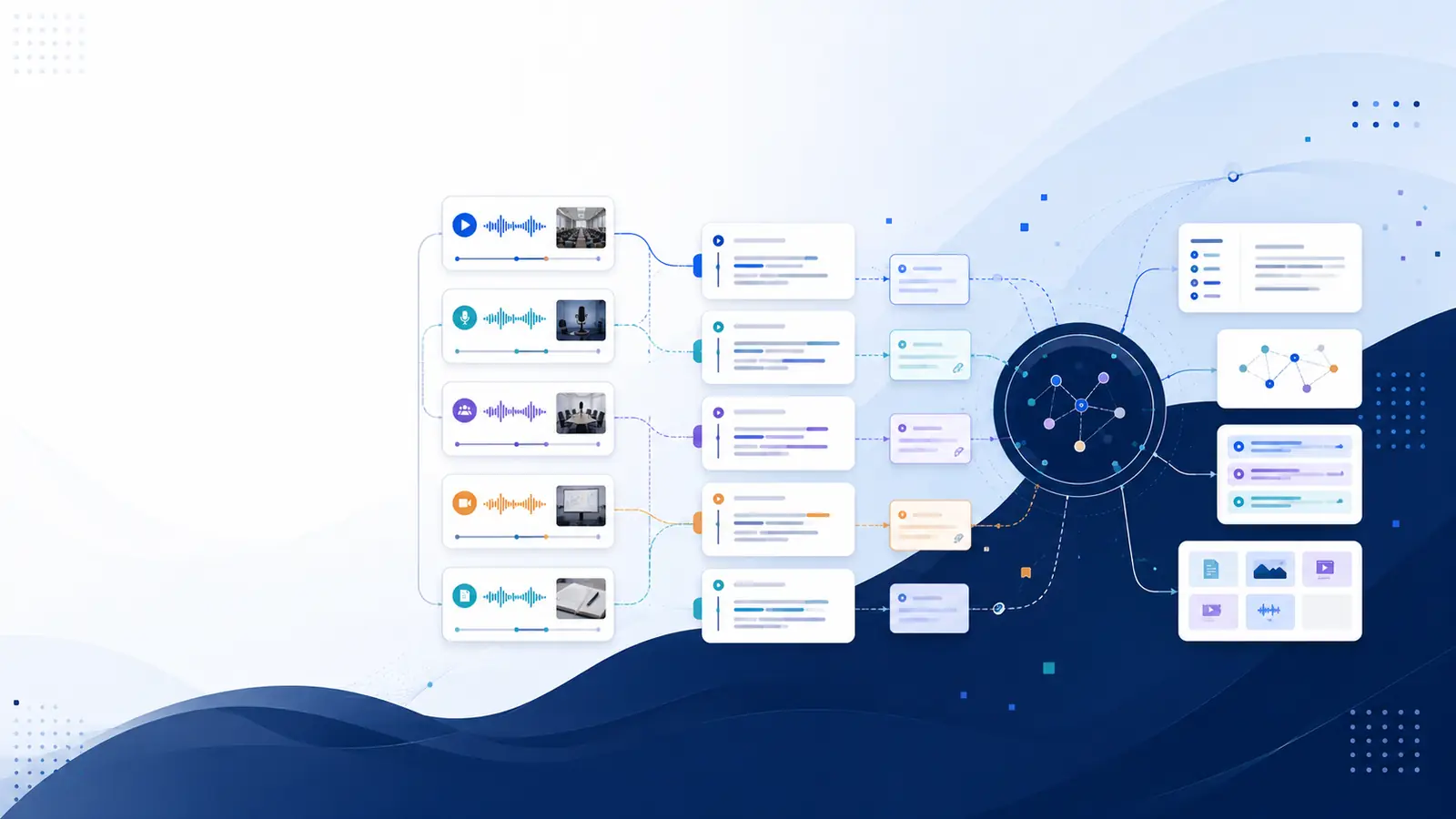
Searchable meeting recordings let you find the exact moment a decision was made or a client detail was mentioned without rewatching hours of footage. Start by converting each recording into a timestamped transcript so every spoken sentence links back to its exact moment. When transcripts are searchable by meaning, you can ask natural-language questions and jump directly to the moment that answers them. That reduces repeated syncs and prevents knowledge from being locked inside timelines. Libraryminds converts recordings into searchable, structured knowledge with timestamped transcripts.
Two-step workflow to make recordings searchable
Turn raw meeting files into a reliable knowledge source with a repeatable two-step workflow: first, transcribe; second, index for search. For transcription, choose a tool that produces a timestamped transcript and offers speaker diarization if you need to know who said what. Speaker diarization is available on Plus and higher plans with Libraryminds. After transcription, create searchable embeddings or an index so semantic queries return passages ranked by meaning, not just keyword matches. Verify quality by spot-checking critical moments: confirm key quotes against the source timestamp and rename speaker labels if needed. Finally, store the transcript alongside the original metadata so the meeting record remains useful for follow-ups and audits.
Practical checklist before you ingest a meeting
Use this pre-ingest checklist to improve transcript quality and downstream search results. One: confirm participant consent and any required notices. Two: ensure the meeting recording has clear audio and minimal background noise. Three: capture a short intro on each recording stating meeting title and attendees, which improves searchability. Four: choose the right upload method—direct file upload, audio/video URL import, or a recording bot that joins scheduled calls. Libraryminds supports direct audio/video URL import and a bot for supported meeting platforms in the Business plan. Five: tag the recording with project and client metadata so later searches return contextually relevant results. Following these steps reduces time spent correcting errors later.
How to structure transcripts for fast retrieval
Organize each transcript into a predictable structure so team members know where to look. Start with a header containing title, timestamp, participants, and tags. Next, include a brief AI summary and chapter markers that split the recording into topic-based sections. Chapters act like a table of contents and should link to exact timestamps in the transcript. Add a short action-items section that lists owner and brief task text with links back to the source moment. If you need to reference who said a line, keep speaker labels and enable speaker diarization during processing. Libraryminds produces AI summaries and chapters that are timestamped, which makes it simple to jump from summary to source moment.
Search techniques that surface exact moments
Two search modes are essential: keyword search for exact phrases and semantic search for meaning-based queries. Keyword search is useful when you recall precise wording; semantic search helps when you remember the idea but not the words. Craft queries as short natural-language questions like "what did the client say about pricing?" or "who agreed to the timeline?" Use filters for participant labels or tags to narrow results. Semantic search reduces time spent scrubbing by pointing to the most relevant passage, and every result should link to the timestamp so playback starts at the referenced sentence. Libraryminds offers semantic search across transcripts to find meaning rather than matching words.
Practical examples and templates
Example one: onboarding session. Tag the recording "onboarding" and add chapters for "product overview," "tools access," and "first tasks." Add flashcards for key platform steps for new hires. Example two: client call. Create a short summary, capture the objection paragraph, and tag with competitor names. Use the transcript to craft a precise follow-up email quoting the client with a timestamp link. For meetings that recur, set up a folder or collection so all related transcripts are grouped together. Libraryminds can generate flashcard review content from transcripts to help teams retain critical details over time.
Operational rules for teams that rely on recordings
Create clear team rules to keep the repository useful: mandate title and tag standards, require a short verbal intro at the start of recorded meetings, and assign an owner to review AI-generated summaries before they become official notes. Decide who can add or remove content in shared workspaces and require checks for confidential content before uploading. If long-term content relevance matters, track when recordings were last accessed and resurface stale items for review. Knowledge decay tracking to surface content you haven't revisited is available on Pro and higher Libraryminds plans. Finally, define retention and export procedures so records are available for audits or project closure.
Frequently asked questions
How accurate are automatic transcripts?
Accuracy depends on audio quality, accents, background noise, and overlapping speech. Use a clear microphone, ask participants to mute when not speaking, and include a short verbal meeting header for context. Always verify critical quotes by checking the timestamped transcript against the original audio because AI transcription quality varies by recording conditions.
Can I search across my whole meeting library?
Yes. Once transcripts are processed and indexed, you can search by keyword or by meaning across all recordings. Semantic search finds relevant passages even when exact words differ. Make sure transcripts are tagged and organised into collections for faster targeted searches.
How do I capture action items reliably?
Prompt speakers to state actions explicitly during the call, for example "Action: Alice will draft the proposal." Use an AI summary and action extraction step after transcription, then assign owners and due dates in your task system. Link each action back to the timestamped sentence for context.
What about meeting privacy and sharing?
Establish a sharing policy before uploading recordings. Use workspaces with member-level access and review AI-generated summaries before sharing externally. When public sharing is required, create a dedicated link for that transcript rather than exposing the whole workspace.
How do I get started without paying immediately?
Begin with free transcription minutes or one-off uploads to test the workflow. Choose a tool that supports browser voice recording and easy file import so you can try the process end-to-end before committing. Libraryminds offers free transcription minutes to start and browser voice recording to test with no upfront payment.
For practical next steps, try an automated workflow guide at build a searchable video knowledge base, compare capabilities on the features page, or review plan options on the pricing page to match capacity to team needs. If experimentation is preferred, grab a trial from the free tools collection and process a single meeting to measure time saved.