Video Knowledge Systems
Video Knowledge Management System Guide
Most people treat videos like temporary content. They watch. They close the tab. They forget. But videos are not just content. They are compressed knowledge.
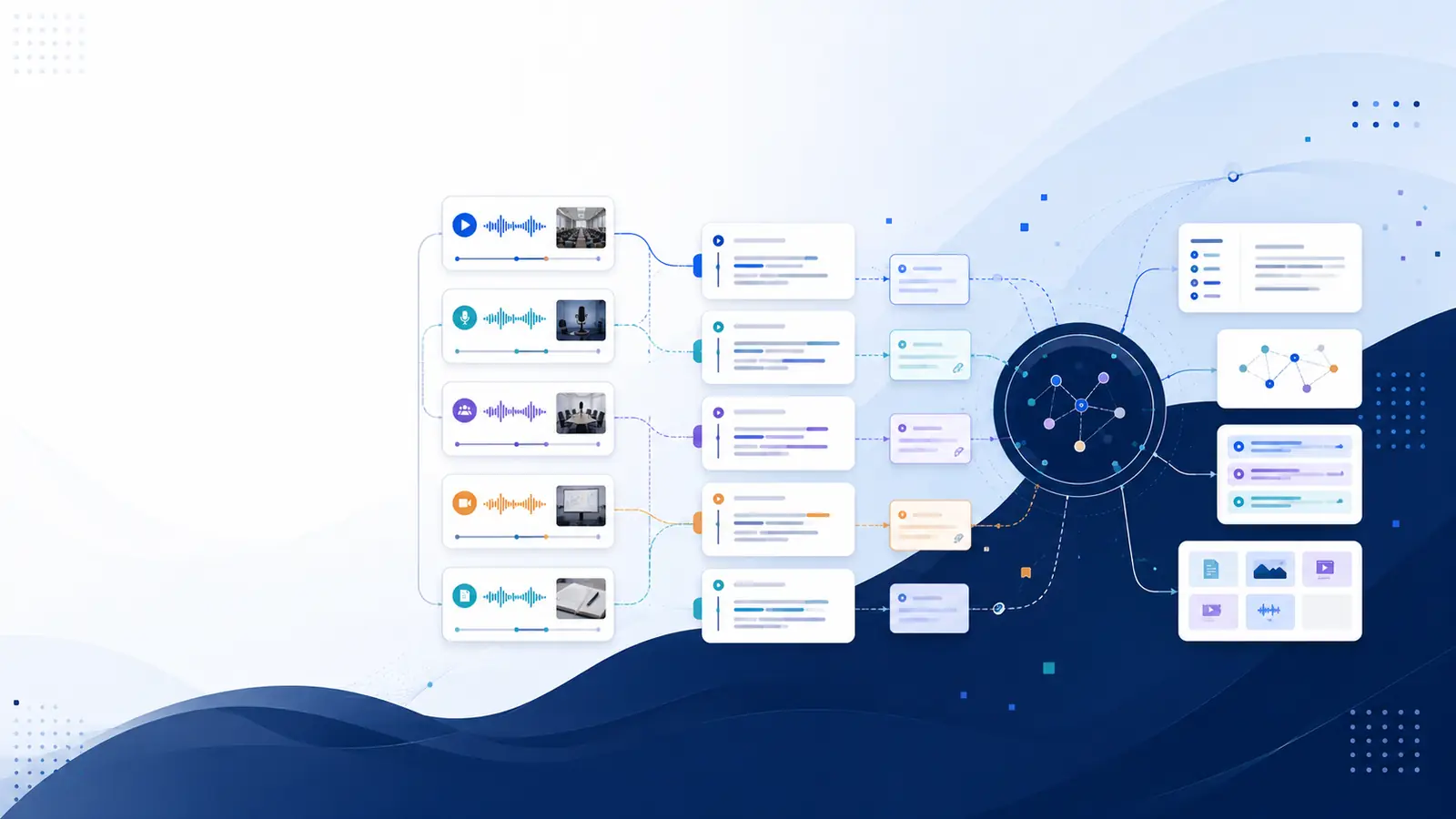
Most people treat videos like temporary content.
They watch.
They close the tab.
They forget.
But videos are not just content. They are compressed knowledge. Lectures, meetings, podcasts, research discussions, masterclasses all of them contain ideas that could compound over time.
The problem isn’t watching.
The problem is that you don’t have a video knowledge management system.
Without a system, your learning disappears into folders, drives, and YouTube history. With a system, every video becomes part of a growing intellectual asset.
This guide will show you how to build a structured video knowledge management system that turns passive watching into searchable, retrievable, long-term memory infrastructure.
What Is a Video Knowledge Management System?
A video knowledge management system is a structured way to:
• Store video-derived knowledge
• Organize it by theme or project
• Retrieve specific ideas instantly
• Connect insights across recordings
• Reuse knowledge without rewatching
It’s not just about transcripts.
It’s about transforming videos into searchable building blocks of thought.
Think of it as your second brain but optimized for video-based learning.
Why Most Video Learning Fails
Most people rely on one of these approaches:
Rewatching entire recordings
Taking scattered notes in separate apps
Saving links in bookmarks
Relying on memory
All of these break down at scale.
If you can’t search videos quickly, you can’t retrieve what you learned.
If you can’t retrieve, you can’t apply.
If you can’t apply, you don’t own the knowledge.
Watching is input.
Search is ownership.
The 5-Layer Video Knowledge Management Framework
To build a real video knowledge management system, you need five layers:
Layer 1: Capture
Layer 2: Convert
Layer 3: Index
Layer 4: Retrieve
Layer 5: Compound
Let’s break them down.
Layer 1: Capture — Stop Losing Source Material
This includes:
• Recorded lectures
• Meeting recordings
• Webinars
• Podcasts
• YouTube educational content
The mistake people make is storing video files without building searchability.
Raw video is storage.
Searchable text is infrastructure.
Layer 2: Convert — From Video to Searchable Memory
A video learning system requires searchable text.
But not just plain transcription.
You need:
• Word-level timestamps
• Speaker identification
• Clean transcript view
• Structured sections
This allows you to search your own videos with precision not scroll endlessly.
This is where a searchable video transcript becomes the foundation of your system.
Layer 3: Index — Organize by Meaning, Not File Names
Most people name files like:
“Webinar_Final_v2.mp4”
That’s not knowledge management.
Instead, organize by:
• Topic
• Project
• Skill
• Client
• Research theme
• Course module
When your video knowledge library is structured semantically, retrieval becomes effortless.
Layer 4: Retrieve — The Active Recall Engine
This is the most important layer.
A video knowledge management system is useless if retrieval is slow.
You should be able to:
• Search across your entire library
• Jump to exact timestamps
• Locate specific phrases instantly
• Extract quotes
• Pull action items
This turns videos into a searchable thinking environment.
The shift is simple:
Instead of asking, “Where did I hear that?”
You search and land directly on the moment.
Retrieval converts information into memory.
Layer 5: Compound — Connect and Reuse Knowledge
This is where most systems fail.
Knowledge compounds when you:
• Revisit insights intentionally
• Extract reusable ideas
• Create flashcards from key concepts
• Store bookmarks for critical moments
• Ask your video targeted questions
When ideas from one recording connect to another, your thinking deepens.
Your video knowledge management system becomes an intellectual asset — not just storage.
Real Use Cases
Knowledge Worker
You attend strategy meetings weekly. Instead of rewatching 90 minutes of discussion, you search your own videos for “budget allocation decision” and jump directly to the 37:42 timestamp.
Student
You’re studying from recorded lectures. Before exams, instead of rewatching 12 hours of content, you search by keyword and instantly retrieve explanations tied to timestamps.
Content Creator
You record long-form videos and podcasts. Instead of manually scanning footage, you search transcripts to extract quotes, chapters, and reusable content snippets.
Researcher
You analyze interviews. Instead of replaying audio repeatedly, you search across all transcripts and find patterns in seconds.
In each case, the video knowledge management system saves time and strengthens recall.
How Libraryminds Powers a Video Knowledge Management System
Libraryminds is not a generic transcription tool.
It is a searchable personal video knowledge library.
Here’s how it aligns with the five-layer framework:
Capture
Import captions and audio for processing without storing video files. Videos are deleted immediately after processing. Only text is stored.
Convert
AI transcription with word-level timestamps and speaker identification.
Index
Clean transcript view, raw transcript view, bookmarks, chapters, notes, action items.
Retrieve
Search across entire library. Jump to exact timestamps. Keyword-based retrieval.
Compound
Quotes, flashcards, on-demand summaries, Ask-your-video Q&A.
This transforms video into memory infrastructure.
If you cannot search what you learned, you do not own it.
Libraryminds ensures you can.
Common Mistakes When Building a Video Learning System
Mistake 1: Relying Only on File Storage
Storage is not knowledge.
Mistake 2: Treating Transcripts as Static Documents
Without search and timestamp navigation, transcripts become long text blocks.
Mistake 3: Not Structuring by Theme
Flat folders destroy scalability.
Mistake 4: Ignoring Retrieval Speed
If retrieval takes longer than rewatching, your system fails.
Mistake 5: No Active Recall Layer
Bookmarks, flashcards, and questions drive retention.
How to Start Building Your Own Video Knowledge Management System
Step 1: Centralize Your Video-Based Learning
Stop scattering recordings across platforms.
Step 2: Convert Everything to Searchable Text
Ensure word-level timestamps.
Step 3: Organize by Theme
Create a structured video knowledge library.
Step 4: Use Search as Your Primary Navigation
Stop scrolling. Start searching.
Step 5: Extract and Review
Turn key insights into flashcards and quotes.
Within weeks, your system becomes self-reinforcing.
Related reading
• How to Search Inside a Video
• Study From Video Lectures
• Searchable Video Transcripts
• Build Your Video Library
This strengthens topical authority and supports semantic clustering.
FAQs
What is a video knowledge management system?
It is a structured system that converts videos into searchable, organized, and retrievable knowledge assets.
How is this different from simple transcription?
Transcription converts speech to text. A video knowledge management system adds indexing, search, timestamps, and recall tools.
Can I search across multiple videos at once?
Yes. A structured system allows you to search across your entire video knowledge library instantly.
Does this replace note-taking?
It enhances it. Instead of writing everything manually, you retrieve exact moments when needed.
Is this useful for teams?
Yes. Teams can search decisions, ideas, and action items without replaying meetings.
If you want your videos to become memory infrastructure instead of forgotten recordings:
Try Libraryminds for free — upload once, understand everything.