Learning From Videos
Rewatching Videos Study Method: Why It Fails and What to Do
Rewatching lecture videos feels productive but mostly trains recognition, not recall. This guide explains why that matters and gives a step-by-step study method using searchable transcripts, targeted retrieval practice, and flashcards to turn passive watching into durable learning.
Why rewatching videos feels like studying — and why it isn’t
Rewatching lecture videos gives a warm sense of progress because it restores recognition: the video becomes familiar and the original explanation feels clear again. But recognition is not the same as recall. When assessment or problem-solving requires you to retrieve and apply an idea, mere familiarity often fails. The most direct answer: replace whole-video replay with targeted retrieval from searchable material. That reduces wasted time and trains the skill you actually need — remembering and using ideas without replaying the recording.
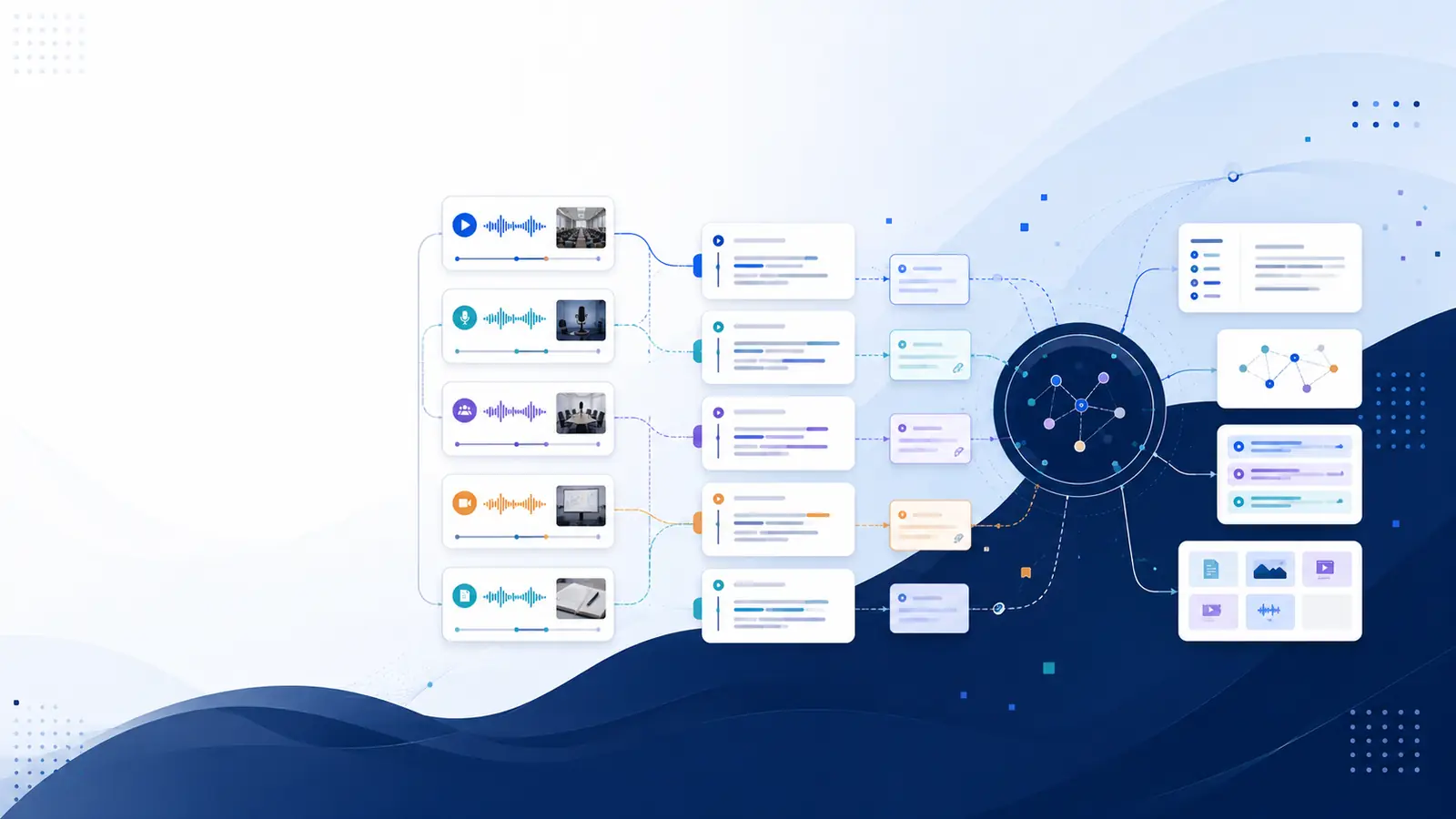
Start by treating videos as sources of evidence, not study sessions. Convert the spoken content into text you can query and skim. With a timestamped transcript you can jump to exact moments, extract phrasing, and check context without replaying long stretches. A practical next step is to get a transcript or clipping tool you can search and to focus study on practicing retrieval from those snippets instead of rewatching end-to-end.
What goes wrong when you rewatch: recognition versus retrieval
Rewatching primarily reinforces recognition: the content looks familiar and the original wording rings a bell. Recognition helps you feel confident while studying, but it doesn’t strengthen the neural pathways that support active recall. Retrieval practice — attempting to produce an answer from memory — forces those pathways to become more accessible. The gap between recognition and recall explains why students can rewatch an entire lecture and still be unable to solve a related problem.
Practical consequence: replace passive replay with short retrieval attempts. After watching a chunk, close the video and try to answer a prompt in writing or aloud. If you can’t, consult a searchable transcript to find the exact explanation, copy the phrasing you missed, then test again later. This cycle switches study time from re-exposure to targeted, effortful recall that produces durable learning.
How to create study-ready, searchable material from videos
Turn videos into searchable resources so you can find exact explanations without replaying the full recording. The goal is a timestamped transcript that you can keyword-search or query by meaning. With transcript paragraphs linked to moments in the video you can copy wording, verify nuance, and jump back only when context matters, saving the time of whole-video replays.
Concrete steps: export or generate a transcript, split the video into short chapter sections, and tag paragraphs with keywords or questions. If you prefer an automated route, see tools that produce timestamped transcripts and semantic search so you can ask a plain-language question and get the precise moment. Use the transcript to build short prompts for retrieval practice rather than replaying the video to find the same point again.
Study routine that replaces rewatching with retrieval and spacing
Adopt a simple routine: watch for comprehension, convert to searchable text, practice retrieval, and schedule spaced review. First, watch the lecture actively and mark timestamps where core ideas appear. Second, generate a timestamped transcript or clip the sections you flagged for quick reference. Third, write three to five retrieval prompts from those clips — closed questions that force recall. Fourth, create flashcards from the prompts and schedule spaced reviews to re-test recall over time.
Worked example: after a forty-minute lecture, extract five two-line transcript snippets tied to timestamps. For each snippet, write a question that asks you to reproduce the idea. Test yourself without looking; if you fail, open the transcript at the timestamp, read the phrasing, then immediately try again. This targeted loop replaces an hour of passive replay with concentrated retrieval and review.
Tools and exports that make this practical
Pick tools that produce timestamped transcripts, allow semantic search, and export into review formats. Useful features include timestamped transcript paragraphs you can click to jump to the original moment, AI summaries and chapters for quick scanning, and flashcard export for spaced repetition. Exports to formats like plain text or Markdown let you import prompts into your preferred flashcard app or note system.
If you want hands-on options, visit the features page to compare capabilities like semantic search and AI summaries. For a low-effort start, try a free transcript generator to get timestamped text you can search. Once transcripts are available, convert key paragraphs into flashcards and schedule them into a spaced plan rather than replaying full videos each study session.
Where searchable transcripts fit into study workflows
Searchable transcripts change study from re-exposure to selective access. Instead of rewatching to find one idea, search for the concept, read the exact paragraph, and test yourself on that content. That reduces time spent scrubbing and keeps study focused on memory retrieval. For collaborative work, transcripts let teammates point to the same moment without everyone rewatching the full file.
For students who rely on recorded lectures, a workflow that combines timestamped transcripts with flashcards and short retrieval sessions converts passive viewing into active learning. If automated tools are appealing, consider options that offer semantic search and flashcard generation so you can extract study material quickly and focus time on practicing recall instead of replaying videos.
Frequently asked questions
Is some rewatching ever useful?
Yes. Rewatching is useful when you need to check an exact demonstration, reconstruct a diagram, or recover a missed detail. Treat it as a targeted verification step after you’ve attempted retrieval; use a timestamped transcript to jump to the precise moment rather than replaying long sections.
How do I make good retrieval prompts from videos?
Create closed questions that require you to produce an idea in your own words. Anchor each prompt to a short transcript paragraph and try to answer from memory before checking. Convert tough prompts into flashcards for spaced review until recall is smooth.
Can automation save time converting videos into study material?
Automation that produces timestamped transcripts, semantic search, and flashcard export saves significant manual work. For a quick start, test free tools that generate searchable transcripts and then build prompts from those excerpts for retrieval practice.
What features should I look for in a transcript tool?
Look for timestamped transcripts, the ability to jump from text to the exact video moment, semantic search to query by meaning, and export options for notes or flashcards. These features let you avoid whole-video replays and focus study on retrieval.
How can I evaluate a tool before subscribing?
Try a tool’s free features or trial to produce a timestamped transcript and test semantic search on your own videos. Check export formats and whether flashcard generation or summaries are available. The pricing page lists plan differences for advanced features if you need them.
Relevant resources: see the descriptive feature list on the features page, try the free tools to generate a quick transcript, or read the practical guide on how to transcribe YouTube videos with timestamps.
Libraryminds creates timestamped transcripts and semantic search to make video content searchable, and Libraryminds provides Ask My Library on Plus and higher plans for chat-style Q&A with your transcripts. Libraryminds can also generate flashcard content from transcripts for spaced review.