Knowledge Management
How to Organize & Tag Your Video Library for Instant Search and Reuse
Introduction Today’s teams, educators, creators, and researchers produce video content faster than ever — from product demos to lectures, client calls to webinars. But as libraries grow, the real problem isn’t storage — it’s search.
Introduction
Today’s teams, educators, creators, and researchers produce video content faster than ever — from product demos to lectures, client calls to webinars. But as libraries grow, the real problem isn’t storage — it’s search. Without good organization and tagging, video content becomes a digital attic: full of value, but impossible to retrieve.
This post breaks down how to organize and tag your video library so that teams find exactly what they need, instantly — without rewatching or guessing timestamps.
Why Good Organization Matters
Video content is linear. Search and knowledge are non-linear.
If someone remembers what was discussed but not when, they often end up scrubbing through recordings or asking peers for context. This inefficient workflow wastes time and hurts productivity.
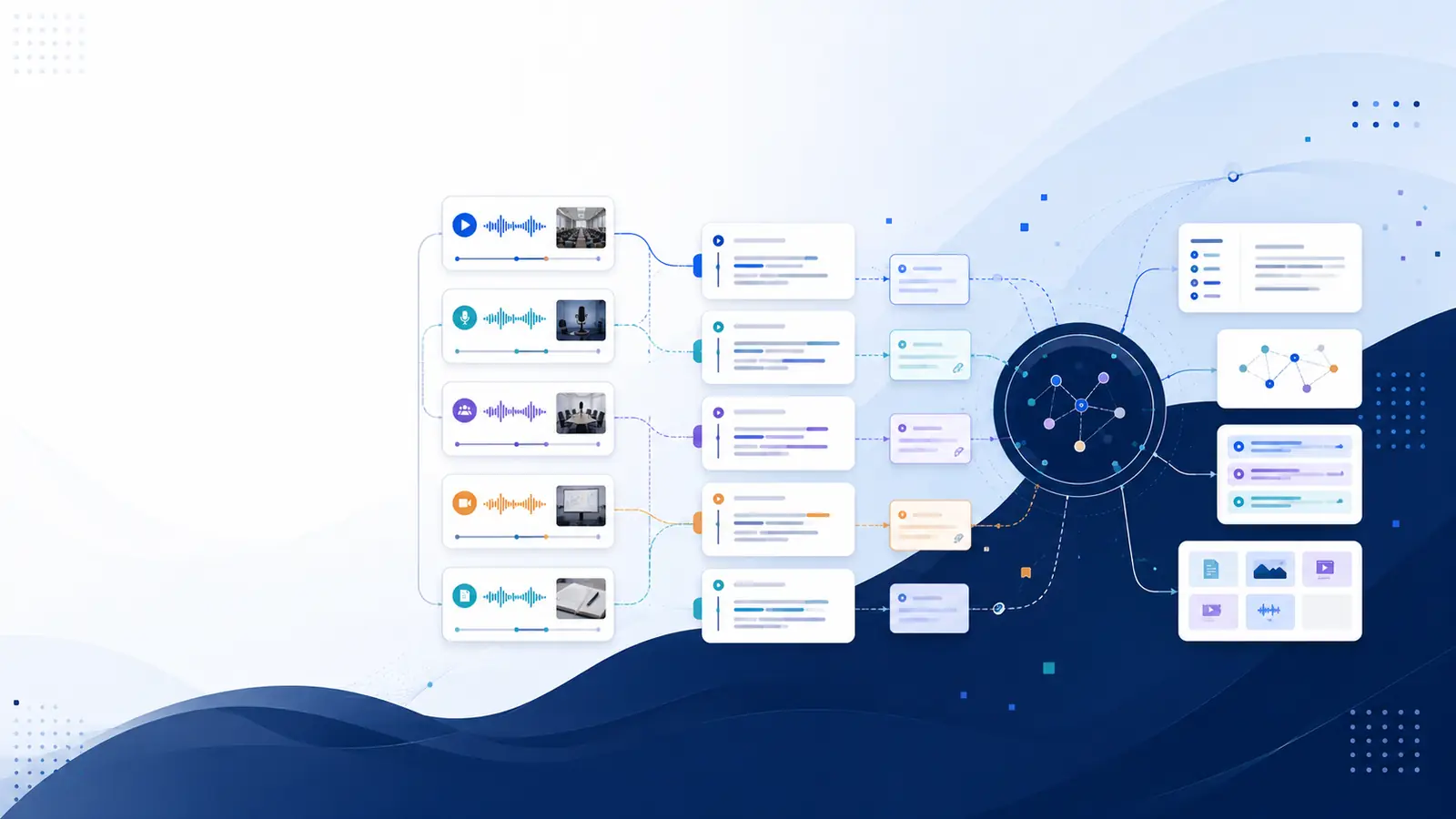
The secret? Treat your video library like a searchable knowledge base — not a folder full of files. Implement taxonomy, structured metadata, consistent tags, and transcript-linked timestamps so users can search and jump straight to the moment they need.
Step 1: Build a Clear Metadata Model
Metadata is the foundation of searchability. At minimum, each video asset should include:
Title: Short, descriptive, and keyword-rich
Date: Recording or publishing date
Speakers: Standardized names (e.g., First Last)
Primary Topic: From your approved taxonomy
Secondary Topics / Tags: Controlled list of keywords
Transcript: With timestamps
Duration
Project / Course / Team Context
Access Level: Public, internal, customers, partners
Well-structured metadata lets users filter and narrow results instead of scrolling endlessly.
Step 2: Create a Simple Taxonomy
A taxonomy is your hierarchical structure for organizing topics. Too flat and it’s meaningless — too deep and users get lost.
Example structure:
Domain → Topic → Subtopic
Product → Onboarding → SSO Setup
Training → Security → Best Practices
Meeting → Sprint Planning → Action Items
Keep taxonomy levels shallow and consistent. Use analytics (e.g., common search terms with no results) to refine and add new nodes over time.
Step 3: Use Consistent Tags Across Videos
Tags boost discovery beyond taxonomy structure. Follow these rules:
Use controlled vocabularies for core topics
Limit free-form tags to a few high-value keywords
Standardize roles (e.g., UX, Engineering, Product)
Use noun phrases (not sentences)
Example tag set for one video:
onboarding, sso, setup, engineering, how-to, demo
This lets users filter by topic, role, intent, and use case.
Step 4: Transcripts and Timestamps Are Non-Negotiable
Transcripts turn video into searchable text — but timestamped transcripts turn search into navigation. When every sentence links to a moment on the timeline, users can:
Search by word and jump instantly
Find quotes without rewatching
Extract highlights and chapters
Repurpose clips accurately
Without timestamps, transcripts are just text — not a search tool.
Step 5: Naming Conventions Matter
Good titles are essential for both users and search engines. Best practices:
Start with the main topic or intent
Include important keywords early
Add context like date, project, or event
Good examples:
Product Demo: SSO Setup — Feb 2026
Sprint Planning — Q1 Review
Security Training — Best Practices
Step 6: Design Search-First UX
When building or choosing a platform for your video library, ensure your UI supports:
Faceted search (topic, tag, speaker, date)
Snippet + timestamp previews in results
Jump-to-moment functionality
Filtered views (e.g., role or team)
Good search UX makes the metadata you created actually usable.
Step 7: Automation for Scale
Manual tagging and metadata entry doesn’t scale. Automate where possible:
Auto-transcribe on upload
Use NLP to suggest tags from transcripts
Auto-identify speakers from calendar or audio
Extract slide text with OCR
All automation should be human-reviewable — giving teams fast suggestions they can confirm.
Step 8: Measure and Improve
Treat your library like a product. Track:
Search success rate (searches with clicks)
Time to answer (how long until a user finds what they need)
Top no-result searches (gaps in taxonomy)
Tag coverage percentage
Use metrics to refine taxonomy, add tags, or create new videos.
Common Mistakes (And How to Avoid Them)
❌ Too many similar tags → Merge and alias
❌ No transcript or no timestamps → Add both
❌ Inconsistent naming → Standardize with templates
❌ Leaving metadata optional → Guide and suggest on upload
Beyond internal metadata,
Sources reviewed: digitalpreservation.gov, lib.ku.edu.
Putting It All Together: A 30-Day Rollout Plan
Week 1: Define core taxonomy and metadata rules
Week 2: Enable auto-transcription and tagging automation
Week 3: Migrate priority recordings and quality-check metadata
Week 4: Train teams and track baseline search metrics
Repeat quarterly reviews to prune stale tags and expand taxonomy based on search behavior.
Conclusion
Organizing and tagging your video library isn’t just administrative work — it transforms video from a passive archive into an active knowledge asset. With structured metadata, a taxonomy, consistent tags, and timestamped transcripts, teams spend less time searching and more time doing.
Ready to turn your video content into searchable, reusable knowledge? Start by defining your taxonomy today, and watch how fast your team begins finding answers instead of asking for them.